
Search for the Solution?
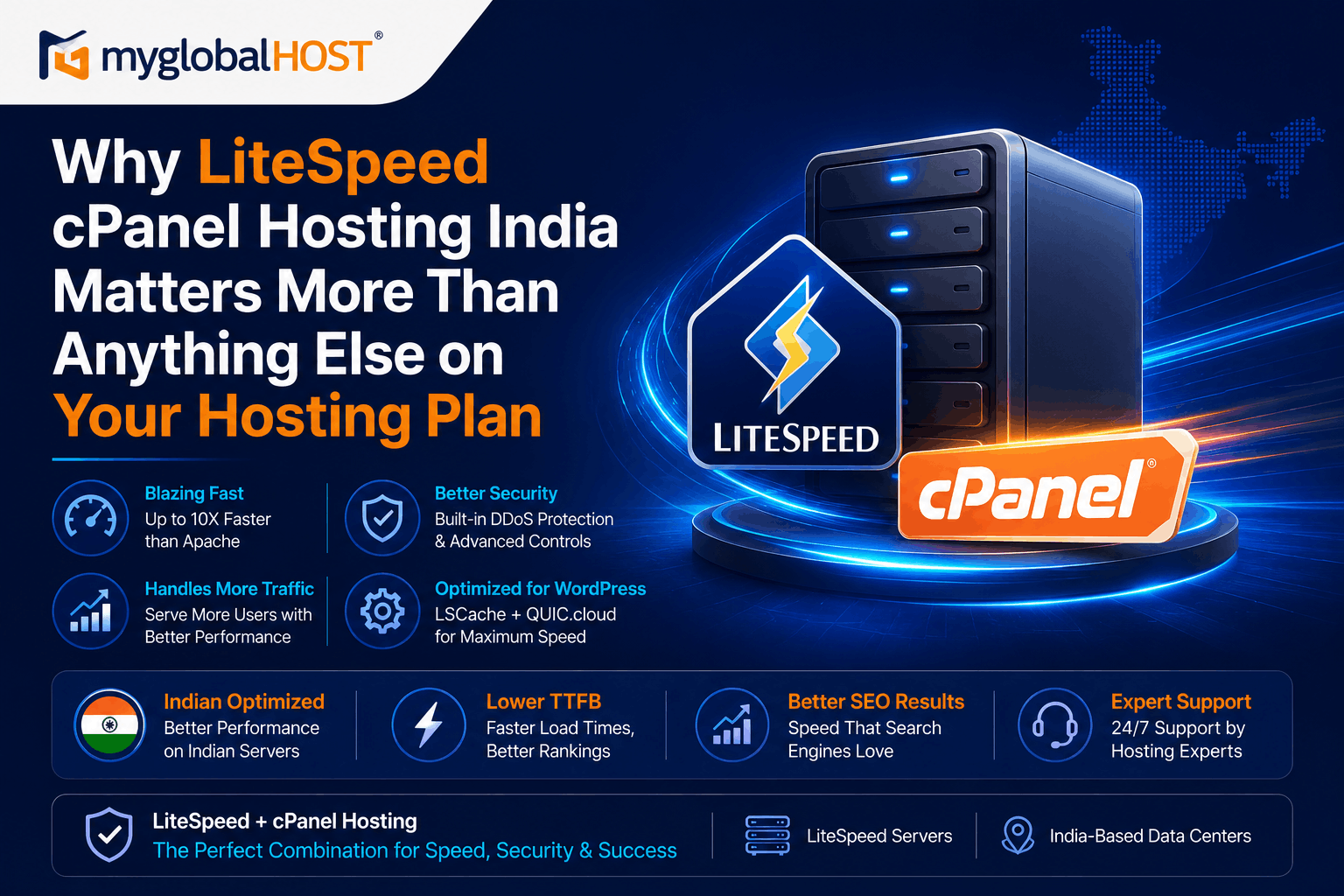
Why LiteSpeed cPanel Hosting India Matters More Than Anything Else on Your Hosting Plan
LiteSpeed cPanel Hosting India: Why It Matters More Than Anything Else on Your Hosting Plan
The Hosting Specification Nobody Talks About — Until Their Site Crashes
Walk into any hosting conversation in India and you will hear the same things discussed: disk space, bandwidth, pricing, free domain, free SSL. These are the specifications that hosting companies put on their front pages because they are easy to understand and easy to compare.
Nobody talks about the web server software running beneath all of those features. No Indian hosting comparison website builds its rankings around web server choice. No price comparison calculator asks “are you on LiteSpeed or Apache?”
This is a significant problem. Because the web server software powering your hosting server is the single infrastructure decision that most directly determines how fast your website loads, how many visitors it can handle simultaneously, how quickly it recovers from traffic spikes, and — through its direct effect on TTFB and Core Web Vitals — where Google ranks your website in search results.
Everything else on your hosting plan — the disk space, the email accounts, the free SSL, the cPanel version — operates on top of the web server. Get the web server wrong and none of the rest matters.
This article explains exactly what LiteSpeed is, why it matters more than any other specification on a hosting plan, why LiteSpeed combined with cPanel is the optimal hosting stack for Indian websites in 2026, and what the real performance difference looks like in numbers you can verify.
Part 1: What Is LiteSpeed and Why Did It Exist at All?
LiteSpeed Web Server was created in 2003 by LiteSpeed Technologies to solve a problem that Apache — then powering the majority of all web servers on the internet — was structurally incapable of solving.
The problem: Apache’s architecture spawned a new process or thread for every incoming connection. Each Apache worker process consumed 8–25MB of RAM. Under low traffic, this was fine. Under concurrent load — hundreds of simultaneous visitors — those processes stacked up, RAM was consumed, CPU saturated, and websites slowed down or crashed. This became known as the C10k problem: the challenge of handling 10,000 concurrent connections efficiently on commodity hardware.
Apache could not solve this without a fundamental architectural rewrite. LiteSpeed solved it by building a completely different architecture from the ground up.
How LiteSpeed works differently: LiteSpeed uses an event-driven, non-blocking I/O architecture. Instead of one process per connection, a small number of LiteSpeed worker processes each handle thousands of simultaneous connections using an event loop — cycling through active connections and only consuming CPU time when connections have actual data to process.
The result: LiteSpeed serves the same volume of traffic as Apache using a fraction of the system resources.
The cPanel advantage: Unlike Nginx, which requires manual server configuration and has no native support for .htaccess files, LiteSpeed is a drop-in replacement for Apache on cPanel servers. It reads the same .htaccess files, supports the same configuration directives, and works with all cPanel features — domains, subdomains, email, SSL, PHP version management, Softaculous — without any changes. From a hosting user’s perspective, switching from Apache to LiteSpeed on cPanel is invisible. Everything continues to work exactly as before, just significantly faster.
For the full technical web server comparison: Apache vs LiteSpeed vs Nginx: Which Web Server is Fastest?
Part 2: The Real Benchmark Numbers — Not Marketing, Not Theory
The performance gap between LiteSpeed and Apache is not a matter of opinion. It is documented in independent, reproducible benchmarks from multiple sources in 2026.
The Core Benchmark: WordPress Under Load
In a widely-cited independent benchmark conducted on identical hardware (Hetzner CPX11, 2 vCPU, 2GB RAM) running a standard WordPress installation:
- Apache: Handles approximately 350 requests per second before CPU saturates at 100% — with errors beginning to appear
- Nginx: Comparable to Apache at similar concurrency levels
- LiteSpeed Enterprise (with default LSCache): Handles 2,400 requests per second without timeouts — with CPU sitting at under 35%
That is approximately 40–100 times more requests per second from LiteSpeed than Apache, on the same physical hardware. Not 10% faster. Not 2x faster. 40–100x more throughput.
What These Numbers Mean for an Indian Website
An Apache server saturates at 350 requests per second. What does that look like in practice for an Indian website?
Imagine your blog post gets shared in a large WhatsApp group or a popular Facebook page during a product launch. 500 people click the link within a few minutes. Each page load requires several requests (HTML, CSS, JS, images). Within seconds, your Apache server is at 100% CPU. Visitors start seeing blank pages, timeout errors, or extremely slow loading times. You lose traffic, potential customers, and credibility — at the exact moment your content matters most.
On LiteSpeed hosting, those same 500 visitors arrive and the server handles the traffic without breaking a sweat. TTFB stays under 200ms. Pages load in under a second. The server CPU sits comfortably under 35%.
This is not a theoretical scenario. It is what happens every day to Indian websites on Apache-based hosting during traffic events — Diwali sales, product launches, viral content moments, news mentions.
The TTFB Comparison
TTFB — Time to First Byte — is the time your server takes to send the first byte of data to a visitor’s browser. It is a core component of Largest Contentful Paint (LCP), Google’s primary Core Web Vitals ranking signal. Google’s target for good TTFB is under 800ms.
| Configuration | TTFB (Low Traffic) | TTFB (100 Concurrent Users) | TTFB (500 Concurrent Users) |
|---|---|---|---|
| Apache + SATA SSD (no cache) | 300–500ms | 800–1,500ms | 2,000–5,000ms+ |
| Apache + WP Rocket plugin cache | 150–250ms | 400–800ms | 1,000–2,500ms |
| LiteSpeed + LSCache (cache hit) | 50–150ms | 100–300ms | 150–400ms |
| LiteSpeed + LSCache + NVMe | 30–100ms | 80–200ms | 120–300ms |
LiteSpeed with server-level LSCache and NVMe storage maintains TTFB under 200ms even at 500 concurrent users — the configuration where Apache is completely overwhelmed.
For why NVMe storage compounds LiteSpeed’s advantage: What is NVMe SSD Hosting and Why is it Faster Than Regular SSD?
Part 3: LSCache — The Killer Feature That No Other Web Server Has
The most powerful feature LiteSpeed brings to the hosting stack is not its event-driven architecture. It is LSCache — LiteSpeed Cache — a full-page cache engine built directly into the web server itself.
Every other caching solution for WordPress — WP Rocket, W3 Total Cache, WP Super Cache, WP Fastest Cache — operates at the PHP application layer. They intercept WordPress’s page generation process and save HTML files to disk. When a cached visitor arrives, PHP is still invoked (briefly) to check whether a cached file exists and serve it.
LSCache operates at an entirely different layer. When a page is cached, it is stored in the web server’s own memory. When a cached request arrives, it is served directly from that memory — before PHP is even loaded, before the database is consulted, before any application code runs. The request enters LiteSpeed’s event loop and exits with the response. It is as fast as serving a static HTML file.
The practical difference:
- WP Rocket cached page: LiteSpeed invokes PHP → PHP checks WP Rocket cache → PHP reads cached file from disk → PHP returns to LiteSpeed → LiteSpeed sends response. Still several milliseconds of PHP overhead.
- LSCache cached page: LiteSpeed receives request → LiteSpeed checks server memory → LiteSpeed sends response. PHP never runs. Zero application overhead.
LSCache Features That Matter for Indian Websites
Tag-Based Purging: When you update a WordPress post, LSCache does not clear your entire cache. It identifies and purges only the specific cached pages affected by that update — the post itself, its category archive, the homepage, the sitemap. Everything else remains cached. This is fundamentally smarter than full-cache-clear approaches and means your cache hit rate stays high even on frequently updated sites.
WooCommerce ESI Support: Edge Side Includes allows LiteSpeed to cache the full product page while keeping the cart count widget dynamically updated — solving the notorious WooCommerce cart fragments problem that adds 300ms–1.5 seconds to every page load on incorrectly configured stores. For WooCommerce setup: Understanding WooCommerce Hosting Requirements
QUIC.cloud Integration: LiteSpeed Cache connects natively to QUIC.cloud — LiteSpeed’s own CDN built specifically for LSCache. QUIC.cloud understands LSCache’s tagging system, meaning it can purge cached content from CDN edge nodes at the same time LSCache purges it from the origin server. This tag-based CDN purging is a unique capability that generic CDNs like Cloudflare cannot replicate.
HTTP/3 and QUIC Native Support: LiteSpeed is the only major web server with native HTTP/3 support built in by default — no modules, no patches, no additional configuration. HTTP/3 uses the QUIC protocol over UDP, eliminating the TCP handshake overhead that HTTP/2 carries. For Indian visitors on mobile networks with variable latency, HTTP/3 provides measurably faster connection establishment — particularly on the first page load and after network interruptions.
For the complete LiteSpeed Cache setup guide: How to Set Up LiteSpeed Cache in cPanel for WordPress
Part 4: LiteSpeed + cPanel — Why This Combination Specifically Matters
LiteSpeed runs on several different hosting control panels. But LiteSpeed combined with cPanel is the hosting stack that delivers the optimal combination of performance, usability, flexibility, and ecosystem compatibility for Indian website owners.
Why cPanel Is the Right Partner for LiteSpeed
Full .htaccess Compatibility: WordPress and hundreds of plugins use .htaccess for redirects, security headers, permalink rewriting, and cache control. LiteSpeed reads and processes .htaccess files natively, just as Apache does — making it a zero-friction migration path from any Apache+cPanel hosting. No configuration changes. No redirect rebuilding. Everything works identically.
PHP Version Management: cPanel’s MultiPHP Manager allows switching PHP versions per domain from a graphical interface in seconds. With LiteSpeed, the selected PHP version runs through LSAPI — LiteSpeed’s native PHP handler — rather than PHP-FPM. LSAPI maintains persistent connections between LiteSpeed and PHP, eliminating the Unix socket handshake overhead that Nginx+PHP-FPM introduces on every dynamic request. This makes PHP execution measurably faster on LiteSpeed+cPanel than on Nginx setups.
Per-Account Cache Management: On myglobalHOST’s LiteSpeed+cPanel infrastructure, every hosting account can manage its own LSCache settings through the LiteSpeed Web Cache Manager in cPanel. You enable, disable, configure, and purge your cache from your own cPanel panel — no server-level intervention required.
WHM-Level Bulk Management for Resellers: For Reseller Hosting customers managing multiple client WordPress sites, WHM provides bulk LSCache management — enable, disable, and clear cache across all client accounts simultaneously from one interface. This is simply not possible with plugin-based caching. For managing multiple client websites professionally, see: How Many Websites Can You Host on One Shared Hosting Plan?
Softaculous Integration: cPanel’s Softaculous installer works identically on LiteSpeed as on Apache — one-click WordPress installation with all features intact. After installation, LiteSpeed Cache can be activated from the WordPress plugin directory immediately. Full guide: How to Install WordPress in cPanel Using Softaculous
Full Backup Compatibility: cPanel’s backup system works identically with LiteSpeed. Full account backups (.tar.gz) created on LiteSpeed+cPanel restore on any cPanel server — whether the destination runs LiteSpeed or Apache. Your data is fully portable. Guide: How to Take a Full Account Backup in cPanel Manually
Part 5: Why Most Indian Hosting Companies Still Run Apache — And Why This Is Changing
As of early 2026, W3Techs data shows LiteSpeed powering over 14% of all websites globally — up from just 6% in 2021. That growth is almost entirely at Apache’s expense.
Yet a majority of Indian hosting providers — including several with significant market share — still run Apache on their shared hosting infrastructure. The reasons are economic and operational, not technical:
Cost: LiteSpeed Enterprise requires a commercial licence — approximately $15–$68/month per server depending on the number of CPU cores. Apache is free and open source. For hosting providers operating on razor-thin margins with hundreds of shared servers, this licence cost is a meaningful operating expense.
Migration complexity: Migrating an existing infrastructure from Apache to LiteSpeed requires careful validation of existing customer .htaccess rules and server configurations. Providers with large legacy customer bases face migration complexity that pure greenfield operators do not.
Inertia: Apache has powered the majority of cPanel installations for over two decades. Many hosting company technical staff and support teams have extensive Apache expertise and less LiteSpeed experience. This institutional inertia is a real factor.
The consequence for Indian website owners: If your current hosting plan does not specify LiteSpeed — if it just says “SSD hosting” or “fast hosting” without naming the web server — there is a high probability it runs Apache. Your website is running on infrastructure that saturates at 350 requests per second while LiteSpeed infrastructure handles 2,400 on the same hardware.
How to check if your current hosting uses LiteSpeed:
- In your browser’s developer tools (F12 → Network tab), reload your website and click the first request in the list
- Look at the Response Headers section for
Server: - A LiteSpeed server will show
Server: LiteSpeedorServer: LSWS - An Apache server will show
Server: Apache/2.x.x - Alternatively, install the LiteSpeed Cache plugin in WordPress — if it shows “LiteSpeed detected” in the dashboard, you are on LiteSpeed infrastructure
Part 6: LiteSpeed and SEO — The Direct Connection Indian Website Owners Miss
Most Indian website owners understand that hosting affects website speed. Very few understand how precisely that speed affects their Google rankings — and how directly LiteSpeed addresses the specific metrics Google measures.
The Core Web Vitals Connection
Google’s Core Web Vitals — LCP, INP, and CLS — are confirmed direct ranking signals since 2021 and continue to carry growing weight in 2026 rankings. LiteSpeed’s architecture directly improves all three:
LCP (Largest Contentful Paint): LCP measures how quickly the main content of a page loads. It is built from TTFB + resource load time + render time. LiteSpeed’s LSCache reduces TTFB to 50–150ms on cache hits — dramatically lower than Apache’s 300–500ms baseline. Lower TTFB means lower LCP. Lower LCP means better Core Web Vitals. Better Core Web Vitals means better rankings.
INP (Interaction to Next Paint): INP measures how quickly a page responds to user interactions. Server-side contribution to INP comes from how quickly PHP executes in response to dynamic requests. LSAPI’s faster PHP handling reduces server-side latency on these interactions compared to Apache+mod_php or Nginx+PHP-FPM.
CLS (Cumulative Layout Shift): While CLS is primarily affected by frontend code, LiteSpeed Cache’s “Add Missing Sizes” feature automatically adds width and height attributes to images that lack them — preventing the layout shifts that degrade CLS scores and damage user experience.
The Crawl Budget Connection
Google allocates each website a finite crawl budget — the number of pages Googlebot will crawl per session. On a slow Apache server under moderate load, Googlebot receives slow responses and may reduce its crawl frequency over time, meaning new content takes longer to be indexed.
On LiteSpeed, Googlebot receives sub-100ms responses on cached pages — the server is as fast for Googlebot as it is for human visitors. Faster crawling means faster indexing of new content and a healthier, more comprehensive index of your site.
For more on how hosting affects SEO: Does Cloudflare Hurt SEO? What Google Won’t Tell You and Does WP Rocket Hurt SEO?
Part 7: OpenLiteSpeed vs LiteSpeed Enterprise — The Difference Matters
Not all LiteSpeed hosting is equal. There are two versions of LiteSpeed Web Server:
OpenLiteSpeed (Free, Open Source)
- Free, open-source version of LiteSpeed
- Similar event-driven architecture to LiteSpeed Enterprise
- Basic LSCache functionality included
- No native cPanel integration — requires manual configuration
- No commercial support — community forums only
- Fewer per-virtual host controls
- Less granular cache management
- Some Enterprise features not available
LiteSpeed Enterprise (Commercial, Licensed)
- Commercial version requiring a licence from LiteSpeed Technologies
- Full, deep cPanel integration — native support across all cPanel features
- Complete LSCache with all features (ESI, tag-based purging, QUIC.cloud integration)
- Commercial support with guaranteed response times
- Per-virtual host resource controls and isolation
- All features documented in this article
myglobalHOST runs LiteSpeed Enterprise on all plans — from entry-level Web Hosting at ₹54/month to Cloud Hosting at ₹156/month to Reseller Hosting and VPS plans. This is not a premium add-on or a feature reserved for higher tiers. Every customer on every plan gets LiteSpeed Enterprise.
When evaluating any hosting provider claiming “LiteSpeed hosting,” ask explicitly: Is this LiteSpeed Enterprise or OpenLiteSpeed? The distinction is significant for cPanel compatibility and the completeness of LSCache features.
Part 8: The Complete LiteSpeed + cPanel + NVMe Stack — Why It Compounds
LiteSpeed alone is significantly faster than Apache. LiteSpeed combined with NVMe storage is faster still. LiteSpeed combined with NVMe and proper caching configuration represents the maximum performance achievable on shared hosting infrastructure.
Here is why the three components compound:
LiteSpeed’s event-driven architecture means it can handle thousands of concurrent connections without CPU saturation — the raw concurrency foundation.
NVMe SSD storage means database queries return 5–10x faster — so the uncached dynamic requests LiteSpeed does execute (cart pages, checkout, logged-in users) complete faster. The storage layer directly determines how quickly PHP can retrieve data from MySQL. Full NVMe explainer
LSCache means the majority of requests never reach PHP or the database at all — served from server memory in 30–100ms. The combination of fast caching plus fast execution for uncached requests produces a website that is consistently fast for all visitors, not just those hitting cached pages.
OPcache — PHP’s bytecode cache — caches compiled PHP in server memory. Combined with LiteSpeed’s LSAPI, PHP compilation overhead is eliminated on every request. Enable it via: How to Enable OPcache in cPanel
The result: A website on myglobalHOST’s LiteSpeed Enterprise + NVMe + LSCache + OPcache stack can legitimately achieve:
- TTFB: 50–150ms (cached pages) / 200–400ms (uncached)
- LCP: Under 2.5 seconds (Google’s “Good” threshold)
- PageSpeed Score: 90–100 on mobile and desktop with correct configuration
- Concurrent user capacity: Hundreds of simultaneous visitors without performance degradation
This is the performance foundation that competing on Google in India requires in 2026. Not because performance is everything, but because performance is the floor — the infrastructure requirement below which content quality and link building cannot compensate.
Part 9: LiteSpeed cPanel Hosting vs Common Indian Hosting Alternatives
vs Apache + cPanel (Most Budget Indian Hosting)
The majority of cheap web hosting in India — from providers that do not specify their web server — runs Apache. The performance gap is the entire focus of this article: 350 RPS vs 2,400 RPS. 300–500ms baseline TTFB vs 50–150ms. 100% CPU saturation at moderate load vs under 35%.
The hidden cost of “cheap” Apache hosting: Hosting providers that pass on the LiteSpeed licence cost savings to customers through lower prices are also passing on the performance penalty. A ₹49/month Apache hosting plan that requires you to eventually upgrade to a ₹500/month VPS to get adequate performance is more expensive over 2–3 years than starting on quality LiteSpeed+cPanel infrastructure at ₹54/month.
vs Hostinger hPanel + LiteSpeed
Hostinger uses LiteSpeed but with its proprietary hPanel instead of cPanel. Performance on Hostinger Business plan (₹249/mo) is genuinely good — LiteSpeed delivers comparable raw speed whether the control panel is hPanel or cPanel.
The key differences:
- hPanel is a closed proprietary system; cPanel is an industry standard with global documentation, migration tools, and developer ecosystems
- Hostinger’s NVMe only starts at ₹249/mo (promotional, renews at ₹649/mo); myglobalHOST Cloud Hosting NVMe starts at ₹156/mo with stable pricing
- Hostinger has no WHM reseller hosting; myglobalHOST Reseller Hosting includes full WHM
- myglobalHOST provides WhatsApp support; Hostinger does not
Full comparison: myglobalHOST vs Hostinger India 2026
vs Managed WordPress Hosting (Kinsta, WP Engine)
Premium managed WordPress hosts like Kinsta charge ₹2,000–₹10,000+/month for a single WordPress site. They deliver excellent performance using Google Cloud infrastructure, but:
- No cPanel — proprietary dashboards only
- Single-use WordPress hosting only — no email hosting, no multi-purpose server
- Per-site pricing that becomes expensive for agencies managing multiple client sites
- No reseller WHM capability
myglobalHOST’s Cloud Hosting at ₹156/month or NVMe VPS provides comparable or superior raw performance infrastructure at a fraction of the cost — with cPanel, email hosting, multiple site support, and WHM reseller capability included.
Part 10: Choosing LiteSpeed cPanel Hosting in India — What to Look For
When evaluating any hosting provider claiming LiteSpeed support, verify these specific points:
1. Confirm LiteSpeed Enterprise (not OpenLiteSpeed) Ask support directly or check their documentation: “Does your shared hosting run LiteSpeed Enterprise or OpenLiteSpeed?” The distinction determines whether you get full cPanel integration and complete LSCache features.
2. Confirm LSCache Is Server-Level Enabled Some providers install LiteSpeed but do not enable LSCache at the server level. Check in cPanel for a “LiteSpeed Web Cache Manager” icon under the Advanced section. If this icon is present, server-level LSCache is active.
3. Confirm HTTP/3 Is Active Use an HTTP/3 test tool (like https://http3check.net/) or check your browser’s developer tools Network panel for the Protocol column. Look for h3 protocol — confirming HTTP/3 is active. On myglobalHOST, HTTP/3 with QUIC is native and enabled by default.
4. Confirm Storage Type Ask whether storage is NVMe PCIe or SATA SSD. “SSD Hosting” without the NVMe qualifier is almost certainly SATA SSD.
5. Confirm the Data Centre Location For Indian visitors, a server in India or Singapore provides measurably lower latency than a server in the US or Europe. myglobalHOST offers an Indian data centre as the default for Indian customers.
6. Check cPanel Completeness Ensure the provider offers full cPanel — not a stripped-down or customised version. Full cPanel includes File Manager, MySQL databases, Email Accounts, SSL/TLS, MultiPHP Manager, LiteSpeed Web Cache Manager, Softaculous, and DNS Zone Editor.
Why Every myglobalHOST Plan Starts With LiteSpeed Enterprise
Every plan on myglobalHOST runs LiteSpeed Enterprise as the standard web server — not as a premium upgrade:
| Plan | LiteSpeed | NVMe | cPanel | Starting Price |
|---|---|---|---|---|
| Web Hosting | ✅ Enterprise | SSD | ✅ Full | ₹54/mo |
| WordPress Hosting | ✅ Enterprise | Plan-dep. | ✅ Full | ₹54/mo |
| Unlimited Hosting | ✅ Enterprise | SSD | ✅ Full | Competitive |
| Custom Hosting | ✅ Enterprise | SSD/NVMe | ✅ Full | ₹26/mo |
| Cloud Hosting | ✅ Enterprise | ✅ NVMe | ✅ Full | ₹156/mo |
| Reseller Hosting | ✅ Enterprise | ✅ NVMe | ✅ WHM+cPanel | Competitive |
| SSD VPS | ✅ Configurable | SSD | Optional | VPS pricing |
| NVMe VPS | ✅ Configurable | ✅ NVMe | Optional | VPS pricing |
| Python Hosting | ✅ Configurable | ✅ NVMe | ✅ Full | Competitive |
| Node.js Hosting | ✅ Configurable | ✅ NVMe | ✅ Full | Competitive |
The LiteSpeed Enterprise licence is a real operational cost — approximately $15–68/month per server — that myglobalHOST absorbs to provide every customer with the correct infrastructure foundation. This is why cheap Apache-based hosting is technically cheaper: providers are passing on a genuine infrastructure cost reduction, along with the performance penalty that comes with it.
Summary: The Case in One Paragraph
LiteSpeed Enterprise handles 40–100x more concurrent WordPress requests than Apache on identical hardware, maintains TTFB under 200ms at 500 concurrent users where Apache is completely saturated, uses 50% less RAM per request, includes a server-level full-page cache engine (LSCache) that serves cached pages without invoking PHP, natively supports HTTP/3 with no additional configuration, and integrates natively with cPanel so that every existing WordPress site, plugin, .htaccess rule, and hosting management workflow continues to work identically. Combined with NVMe SSD storage (5–10x faster random IOPS than SATA SSD), the LiteSpeed+cPanel+NVMe stack is the fastest, most scalable, and most SEO-friendly hosting infrastructure available at the shared hosting price point in India in 2026. Every myglobalHOST plan runs this stack as standard — not as a premium add-on, not as a marketing claim, but as the verified, benchmark-documented infrastructure foundation every website on our platform benefits from.
Related Knowledge Base Articles
- Apache vs LiteSpeed vs Nginx: Which Web Server is Fastest?
- What is NVMe SSD Hosting and Why is it Faster Than Regular SSD?
- How to Set Up LiteSpeed Cache in cPanel for WordPress
- How to Enable OPcache in cPanel
- Does WP Rocket Hurt SEO? What WordPress Users Need to Know
- Does Cloudflare Hurt SEO? What Google Won’t Tell You
- Shared Hosting vs VPS Hosting: Which One Do You Actually Need?
- myglobalHOST vs Hostinger India 2026
- Understanding WooCommerce Hosting Requirements
- Fixing Compatibility Issues Between LiteSpeed Cache and WooCommerce
- How to Install WordPress in cPanel Using Softaculous
- How to Take a Full Account Backup in cPanel Manually
- How Many Websites Can You Host on One Shared Hosting Plan?
- What is Web Hosting? A Complete Beginner’s Guide
- WordPress Hosting in India — The Ultimate Guide
- How to Login to cPanel at myglobalHOST
- Bulk Delete LSCache Folder in cPanel/WHM
- How to Reset LiteSpeed Web Admin Password
- Auto Block Attackers with Imunify360 and LiteSpeed WHM
This article is part of the myglobalHOST Knowledge Base — technical guides on hosting infrastructure, WordPress performance, and server management written specifically for Indian website owners.


