
Search for the Solution?
What is NVMe SSD Hosting?
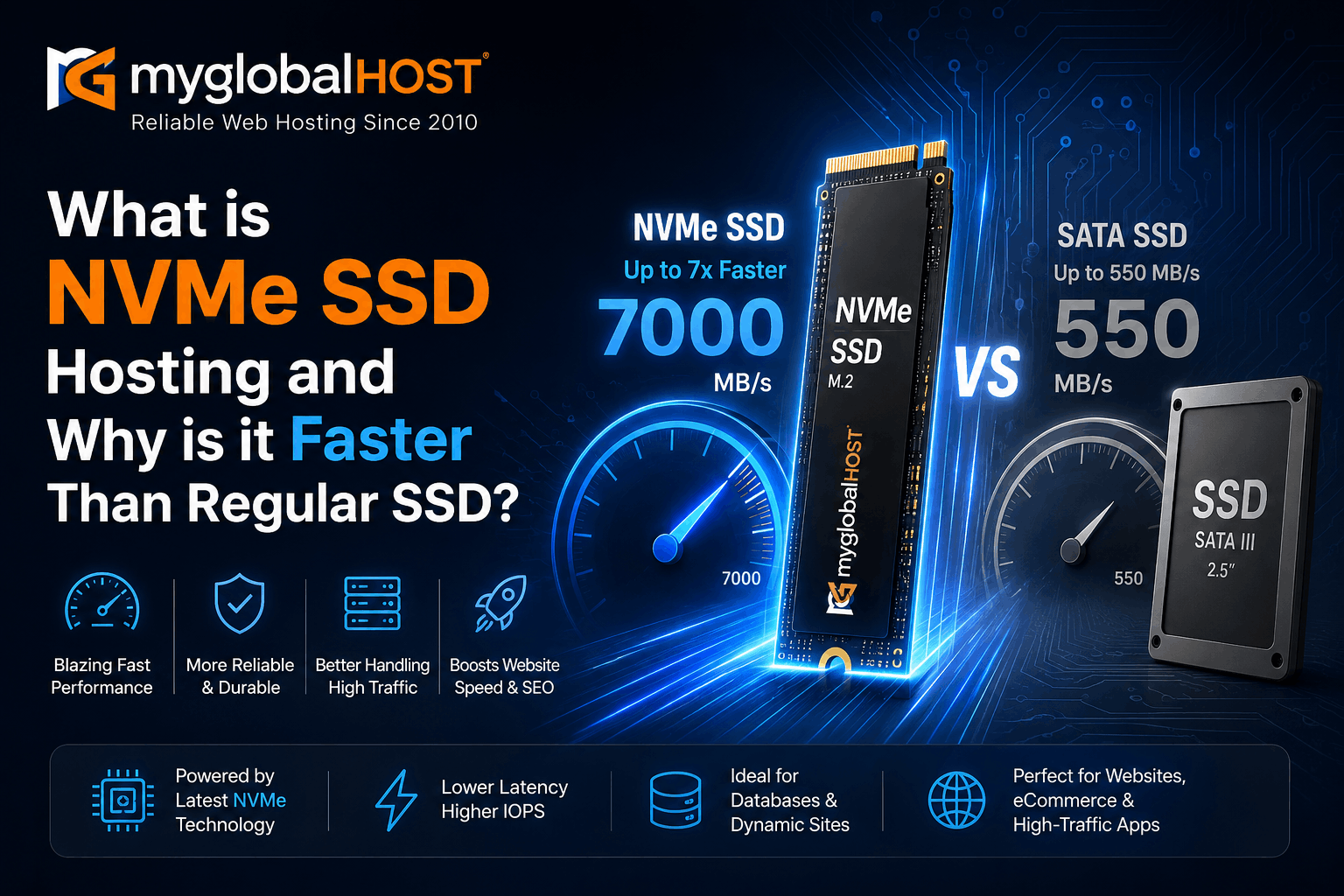
What is NVMe SSD Hosting and Why is it Faster Than Regular SSD?
Introduction: Why Your Hosting Storage Type Matters More Than You Think
When most people shop for web hosting, they compare prices, look at disk space quotas, check whether cPanel is included, and maybe glance at bandwidth limits. Very few look at the one infrastructure detail that has the most direct impact on their website’s actual speed, database performance, and Google Core Web Vitals scores: the storage technology powering the server.
Whether your hosting provider uses HDD (hard disk drive), SATA SSD (Solid State Drive), or NVMe SSD (Non-Volatile Memory Express) is not a minor footnote. It is one of the most consequential hardware decisions affecting every single page load your visitors experience — and every crawl Googlebot makes to your website.
This guide explains what NVMe SSD hosting is, how it differs from regular SATA SSD hosting technically and in real-world terms, why the difference matters enormously for WordPress, WooCommerce, and database-driven websites, and what you should look for when evaluating hosting plans.
All myglobalHOST hosting plans — from shared Web Hosting through to our NVMe VPS plans — are built on NVMe storage. This article explains exactly why that matters for your website.
First: Understanding the Storage Technology Hierarchy
Before diving into NVMe specifically, it helps to understand the full storage evolution so you can see where each technology sits and why the differences exist.
HDD — Hard Disk Drive (Avoid for Web Hosting)
HDDs are the oldest commonly used storage technology in servers. They use spinning magnetic platters and a physical read/write head that must physically move to the correct position on the platter before it can read or write data. This mechanical movement — called seek time — takes milliseconds. In web hosting terms, this means:
- Sequential read speed: ~100–200 MB/s
- Random IOPS: ~100–200 IOPS
- Latency: 5,000–10,000 microseconds (5–10 milliseconds)
For a WordPress site running 40–50 database queries per page load, an HDD server means each query waits for the physical head to move before it can return data. Under concurrent load — multiple visitors at the same time — those queues stack up rapidly and server response times collapse.
HDDs have no place in a web-facing hosting environment in 2026. If a hosting plan does not explicitly state SSD storage, assume it is HDD and avoid it for any dynamic web application. Reputable providers who still use HDDs often bury this detail in the fine print.
SATA SSD — Solid State Drive on SATA Interface
SATA SSDs replaced HDDs in hosting environments and represented a massive leap forward. They have no moving parts — data is stored in flash memory cells and retrieved electronically, eliminating seek time entirely.
However, SATA SSDs are constrained by their interface: they connect to the server via the SATA III bus, which was originally designed in 2003 for spinning hard drives. SATA III has a maximum bandwidth of 6 Gbps — approximately 550 MB/s of actual throughput. The SSD itself is capable of much faster speeds, but the SATA interface acts as a bottleneck, preventing it from reaching its full potential.
Typical SATA SSD performance in hosting environments:
- Sequential read speed: ~500–550 MB/s
- Random 4K IOPS: ~90,000–100,000 IOPS
- Latency: 100–200 microseconds
This is dramatically faster than HDD — but still significantly limited by the legacy interface it runs through.
NVMe SSD — Non-Volatile Memory Express (Current Generation)
NVMe is not merely a faster SSD. It is a fundamentally different architecture — a new storage protocol designed from the ground up specifically for flash storage, bypassing the SATA interface entirely.
NVMe drives connect directly to the CPU via the PCIe bus (PCI Express lanes), eliminating the SATA controller bottleneck completely. PCIe 4.0 provides approximately 64 Gbps of bandwidth — more than 10 times the bandwidth available to a SATA III drive. PCIe 5.0, increasingly available in 2026 enterprise servers, doubles this further.
Beyond raw bandwidth, the NVMe protocol itself was redesigned for parallel operation. SATA supports one command queue with a maximum depth of 32 commands. NVMe supports 65,535 command queues, each handling up to 65,535 commands simultaneously. That is not an incremental improvement — it is a completely different operational model.
Typical NVMe SSD performance in hosting environments:
- Sequential read speed: 3,500–7,000 MB/s (PCIe 4.0); up to 14,800 MB/s (PCIe 5.0)
- Random 4K IOPS: 500,000–700,000 IOPS
- Latency: 10–20 microseconds
The Numbers Side by Side: NVMe vs SATA SSD vs HDD
| Metric | HDD | SATA SSD | NVMe SSD | NVMe Advantage over SATA |
|---|---|---|---|---|
| Sequential Read Speed | ~150 MB/s | ~550 MB/s | ~5,000 MB/s | ~9x faster |
| Sequential Write Speed | ~120 MB/s | ~520 MB/s | ~4,500 MB/s | ~8x faster |
| Random 4K Read IOPS | ~200 | ~100,000 | ~600,000 | ~6x faster |
| Access Latency | 5,000–10,000 μs | 100–200 μs | 10–20 μs | 5–10x lower |
| Command Queue Depth | 1 queue / 32 commands | 1 queue / 32 commands | 65,535 queues / 65,535 commands | Massively parallel |
| Interface | SATA III | SATA III | PCIe 4.0/5.0 | Direct CPU connection |
| Interface Bandwidth | 6 Gbps max | 6 Gbps max | 64+ Gbps | 10x+ wider |
Benchmark values represent enterprise-grade drives used in hosting environments. Based on real-world server benchmarks from 2025–2026.
Why These Differences Matter Specifically for Web Hosting
Hardware benchmark numbers are useful, but what matters to a website owner is how they translate into real-world site performance. Here is exactly where NVMe’s advantages show up in the web hosting context.
1. MySQL and Database Query Speed
Every dynamic WordPress page — blog post, WooCommerce product page, homepage with widgets — requires multiple database queries to generate. WordPress typically executes 40 to 80 MySQL queries per page load on an unoptimised site, even more on complex setups with page builders and multiple active plugins.
Each of those queries requires the server to read small, randomly positioned records from storage. This is a random read workload — precisely the performance category where the NVMe vs SATA difference is most dramatic.
On SATA SSD, the database server executes roughly 100,000 random 4K IOPS before its queue saturates. On NVMe, the same server can execute 500,000 to 700,000 IOPS with latency 5–10 times lower per operation.
Real-world server benchmarks confirm this directly: NVMe delivers 3.8x more MySQL transactions per second compared to SATA SSD, with 13.9x lower tail latency on P99 database responses. For a WooCommerce store under peak load — Black Friday, product launch day — this difference separates a site that handles traffic gracefully from one that times out.
At low concurrency (a few visitors at a time), SATA SSD is adequate for WordPress. As concurrency increases — hundreds of simultaneous visitors, each triggering multiple MySQL connections — SATA SSD’s 32-command queue fills up and database response times begin climbing. On a typical mid-traffic WordPress site receiving 1,000 to 5,000 simultaneous visitors during peak hours, research shows SATA SSD TTFB climbing from ~150ms at low concurrency to 500–1,500ms at peak. On NVMe under the same load, TTFB stays in the 100–250ms range throughout.
2. Time to First Byte (TTFB) and Google Core Web Vitals
TTFB — the time between a browser sending a request and receiving the first byte of a response — is a critical component of your Largest Contentful Paint (LCP) score, Google’s most important Core Web Vitals metric.
Google’s target for good TTFB is under 800ms. Google’s target for good LCP is under 2.5 seconds. Both are harder to achieve on SATA SSD infrastructure under concurrent load, because database and file read latency accumulates across every component of a page request.
NVMe’s lower latency per I/O operation reduces the time your server spends waiting for storage before it can begin building and sending the page response. Even when LiteSpeed Cache is serving cached pages (bypassing PHP and MySQL entirely), NVMe is still faster at reading cached HTML from storage and sending it to the visitor.
On myglobalHOST’s NVMe-powered infrastructure, customers running properly configured WordPress Hosting with LiteSpeed Cache enabled consistently achieve TTFB scores well under 200ms — a strong foundation for passing Core Web Vitals.
3. PHP File Reads and WordPress Asset Loading
Beyond the database, WordPress also reads PHP files — core WordPress files, theme files, plugin files — on every uncached page request. A typical WordPress installation has hundreds to thousands of PHP files. PHP’s OPcache (see How to Enable OPcache in cPanel) caches compiled PHP bytecode in memory, which helps. But on cache misses, cold starts, and requests for uncached pages, storage speed directly determines how fast PHP files can be loaded and executed.
NVMe’s superior random read performance means PHP file loading is dramatically faster on cold starts, reducing the penalty for uncached pages and new deployments. Theme assets, plugin files, and WordPress core files are all served from storage at NVMe speeds rather than waiting on a SATA bottleneck.
4. Handling Traffic Spikes and Concurrent Load
The most revealing difference between SATA SSD and NVMe hosting is not what happens at low traffic — it is what happens when traffic spikes.
On a SATA SSD server shared between multiple hosting accounts, every account generates storage I/O simultaneously. A spike in traffic on one account competes directly with the storage I/O of other accounts on the same physical drive, because SATA’s 32-command queue is shared across all processes.
NVMe’s 65,535 parallel queues allow the server to process storage requests from multiple accounts and multiple concurrent connections simultaneously without queue saturation. On a shared web server handling dozens of concurrent hosting accounts, this parallelism means traffic spikes on one account create far less interference with other accounts.
For Reseller Hosting customers managing multiple client sites, this is particularly important — NVMe’s parallel architecture means client A’s traffic spike does not degrade client B’s site performance.
5. WooCommerce and E-Commerce Performance
WooCommerce is one of the most storage-intensive WordPress configurations. Every product view, cart update, stock check, order creation, and payment confirmation involves database reads and writes. Session management, inventory locking, and transaction integrity all generate storage I/O that must complete quickly to avoid cart abandonment.
Research consistently shows that faster storage directly impacts conversion rates. A 100ms reduction in page load time corresponds to approximately 1% increase in conversion rate for e-commerce sites. For WooCommerce stores on NVMe infrastructure, the compound effect of faster database queries, lower TTFB, and more stable performance under load directly affects revenue.
For comprehensive WooCommerce performance configuration on myglobalHOST’s infrastructure, see our guide on Fixing Compatibility Issues Between LiteSpeed Cache and WooCommerce.
6. Backup Speed and Recovery Time
The speed of storage directly affects how quickly full account backups complete and — critically — how quickly you can restore in an emergency. On NVMe storage, full cPanel account backups (see How to Take a Full Account Backup in cPanel Manually) complete significantly faster than on SATA SSD infrastructure, meaning less I/O load on the server during the backup window and faster recovery if you ever need to restore.
Similarly, database operations — including the MySQL database repair and optimisation procedures that are periodically necessary — complete faster on NVMe, reducing maintenance windows.
NVMe vs SATA SSD: The Real-World WordPress Impact Table
| WordPress Scenario | On SATA SSD Hosting | On NVMe Hosting |
|---|---|---|
| Single visitor, low traffic | Fast (adequate) | Fast (excellent) |
| 100 concurrent visitors | Moderate — queue pressure begins | Fast — queues handled in parallel |
| 500 concurrent visitors | Slow — TTFB climbs to 500ms+ | Fast — TTFB stays under 250ms |
| WooCommerce checkout under load | High cart abandonment risk | Stable, consistent response |
| WordPress full-page cache miss | Database queries slow | Database queries fast |
| Large media file uploads | Moderate write speed | Fast write speed |
| Full backup execution | Slow — server I/O spike | Fast — minimal server impact |
| MySQL database queries | ~100K IOPS ceiling | ~600K IOPS ceiling |
| Database query latency (P99) | 100–200 microseconds | 10–20 microseconds |
What About NVMe vs NVMe? PCIe 3.0 vs 4.0 vs 5.0
Not all NVMe hosting is equal. NVMe drives run on PCIe lanes, and the PCIe generation determines the maximum bandwidth available.
- PCIe 3.0 NVMe: Sequential reads up to ~3,500 MB/s, random IOPS ~500,000. Common in older NVMe hosting infrastructure.
- PCIe 4.0 NVMe: Sequential reads up to ~7,000 MB/s, random IOPS ~700,000+. Current standard in quality hosting infrastructure as of 2026.
- PCIe 5.0 NVMe: Sequential reads up to ~14,800 MB/s. Enterprise-grade. Emerging in premium dedicated server environments.
For most web hosting workloads — WordPress, WooCommerce, PHP applications — the difference between PCIe 3.0 and 4.0 NVMe is less impactful than the difference between SATA SSD and any NVMe generation, because random IOPS and latency improvements are the dominant factors, and all NVMe generations deliver these in abundance compared to SATA.
myglobalHOST’s NVMe VPS infrastructure runs on current-generation NVMe storage, providing the IOPS capacity and low latency profile that demanding workloads require.
The Cost vs Performance Reality of NVMe Hosting
A common question: if NVMe is so much faster, why is SATA SSD hosting still sold at all?
The answer is cost. NVMe drives cost approximately 10–30% more per gigabyte than comparable SATA SSD drives at the enterprise level. Hosting providers who use SATA SSD pass this saving on as lower plan pricing.
However, the performance-per-rupee calculation has shifted dramatically in 2026. According to real server benchmarks, NVMe costs approximately 78% more per gigabyte than SATA SSD — but delivers 3.8x better cost per IOPS (the metric that actually matters for web hosting workloads). For database-driven workloads, you get significantly more usable performance per rupee spent when choosing NVMe hosting, even though the nominal price per GB is higher.
For website owners whose revenue depends on site speed — WooCommerce stores, SaaS applications, high-traffic blogs with display advertising — the business case for NVMe hosting is straightforward. The cost premium is small relative to the performance gain, and the performance gain directly affects the metrics that drive revenue: page load time, conversion rate, and bounce rate.
“SSD Hosting” vs “NVMe SSD Hosting”: The Naming Trap
This is a critical distinction that many hosting buyers miss entirely.
When a hosting provider advertises “SSD Hosting” — without specifying NVMe — they are almost certainly using SATA SSD. SATA SSD is a legitimate and commonly used storage technology, but it is genuinely slower than NVMe in the ways that matter most for web hosting workloads.
Marketing language around storage is frequently vague or misleading:
- “SSD Hosting” = almost always SATA SSD
- “Fast SSD Hosting” = almost always SATA SSD with marketing copy
- “NVMe SSD Hosting” = NVMe (usually genuine, but verify the PCIe generation)
- “NVMe Hosting” = NVMe (most specific and reliable claim)
When evaluating a hosting provider, look for explicit NVMe mentions in the technical specifications — not just in marketing headlines. Check the plan details page, the server specifications page, or ask support directly: “What is the storage interface? Is it NVMe PCIe or SATA SSD?”
At myglobalHOST, all plans across all tiers — from entry-level Web Hosting to Cloud Hosting to NVMe VPS — run on NVMe storage. This is stated explicitly in our plan specifications and is not a selective premium feature available only on top-tier plans.
NVMe Hosting and SEO: The Direct Connection
Website speed is not just a user experience consideration — it is a documented Google ranking signal. Google confirmed page speed as a ranking factor for desktop search in 2010 and extended this to mobile search in 2018 through the Speed Update. Core Web Vitals — LCP, INP, and CLS — became official ranking signals in 2021 and continue to grow in weight.
The connection between NVMe storage and SEO is direct and measurable:
NVMe → Lower TTFB → Lower LCP → Better Core Web Vitals → Improved Rankings
Specifically:
- NVMe’s faster database reads reduce PHP execution time, lowering TTFB
- Lower TTFB means the browser receives the first byte of the page faster, reducing LCP
- Faster LCP means a better Core Web Vitals score
- Better Core Web Vitals scores are a confirmed Google ranking signal
This relationship is why the hosting infrastructure you choose is genuinely an SEO decision — not just a technical one. Choosing SATA SSD hosting to save a few hundred rupees per month may cost you significantly more in lost organic traffic if your Core Web Vitals scores suffer as a result.
For customers who have enabled LiteSpeed Cache (which serves cached pages from server memory) and are running on NVMe storage, the performance compounding is substantial: cached pages load at NVMe memory speeds for repeat visitors, while uncached requests benefit from NVMe’s fast PHP and database execution.
If you are experiencing SEO issues related to site speed or TTFB, also review our guides on Does WP Rocket Hurt SEO? and Does Cloudflare Hurt SEO? — as caching plugin misconfigurations and proxy layer issues can undermine the performance benefits of even the fastest NVMe infrastructure.
NVMe Hosting for Specific Use Cases
WordPress Blogs and Content Sites
NVMe’s speed advantage for content-heavy WordPress sites is most visible during traffic spikes — when a post goes viral, gets picked up by a news site, or receives a surge of social media traffic. SATA SSD hosting often struggles under sudden load increases. NVMe handles these spikes with significantly more headroom.
For WordPress optimisation on top of NVMe infrastructure, start with our complete guide on How to Set Up LiteSpeed Cache in cPanel for WordPress.
WooCommerce and E-Commerce Stores
As documented above, database-intensive WooCommerce workloads benefit most from NVMe’s IOPS advantage and lower latency. Checkout processes, inventory checks, and order management all run faster, with direct impact on conversion rates.
Ensure your WordPress installation is correctly set up by following How to Install WordPress in cPanel Using Softaculous before deploying WooCommerce.
Python and Node.js Applications
Python and Node.js applications that make frequent database reads — Django ORM queries, Sequelize operations, MongoDB document reads — benefit from NVMe’s parallel I/O in the same way WordPress MySQL workloads do. For customers on our Python Hosting and Node.js Hosting plans, NVMe storage ensures your application’s I/O operations are not a bottleneck during peak usage.
If you are running Node.js applications and experiencing performance issues unrelated to storage, see Why Your Node.js App Works Locally but Fails on cPanel for a comprehensive troubleshooting guide.
Reseller Hosting and Multi-Site Management
For Reseller Hosting customers managing dozens of client websites, NVMe’s parallel queue architecture means client sites do not compete aggressively for I/O resources. Traffic spikes on one client account are less likely to degrade performance for other accounts on the same server — a direct quality-of-service benefit that matters when managing client relationships.
VPS and Dedicated Workloads
For customers who need root access and dedicated resources, the choice between SSD VPS and NVMe VPS follows the same logic. NVMe VPS plans give you dedicated NVMe storage performance without competing with other accounts for I/O resources — ideal for high-traffic applications, database servers, custom PHP/Python/Node.js deployments, and any workload where consistent, predictable performance under load is essential.
Common Questions About NVMe SSD Hosting
Does NVMe hosting make a difference if I use caching?
Yes, but in different ways. With a full-page cache active (like LiteSpeed Cache), cached pages are served from server memory, reducing the storage I/O path. In this scenario, NVMe’s primary benefit shifts to cache misses, database queries for dynamic content, and the initial cache population. NVMe’s advantage is most significant for uncached requests — which still happen on every page’s first request, after cache clears, and for pages that cannot be cached (cart, checkout, user accounts). Even with caching fully enabled, NVMe’s faster base infrastructure provides a meaningful performance floor.
Is NVMe SSD hosting important for small websites?
For low-traffic sites with fewer than 100 daily visitors, the practical difference between SATA SSD and NVMe is minimal — both are fast enough to serve pages quickly at low concurrency. However, as traffic grows, the benefits compound. Choosing NVMe from the start means your infrastructure scales with your traffic without requiring a migration later.
How do I know what storage type my current hosting uses?
Check your hosting provider’s plan specifications page or cPanel’s Server Information section. Look for mentions of NVMe, PCIe, or SATA. If the storage type is not explicitly stated, contact support and ask directly: “Is your storage NVMe PCIe or SATA SSD?” If they cannot answer clearly, that is itself informative.
Can I check my server’s storage performance myself?
On VPS plans with SSH access, you can run storage benchmarks using fio or dd commands. On shared hosting plans via cPanel, the cPanel Disk Usage Tool shows disk consumption but not performance metrics. For performance testing, the most practical approach is to benchmark your actual site speed using Google PageSpeed Insights or GTmetrix before and after any hosting changes.
How to Make the Most of NVMe Hosting on myglobalHOST
Simply being on NVMe infrastructure gives you a strong performance foundation. To maximise it:
- Enable LiteSpeed Cache — our complete guide: How to Set Up LiteSpeed Cache in cPanel for WordPress
- Enable PHP OPcache — caches compiled PHP in memory, complementing NVMe’s fast raw reads: How to Enable OPcache in cPanel
- Force HTTPS — ensures consistent HTTPS delivery without redirect overhead: Force HTTPS Using .htaccess
- Keep your database optimised — on NVMe, an optimised database performs even faster: Repair and Optimise MySQL Database on cPanel/WHM
- Use cPanel’s Disk Usage Tool — keep your storage lean so NVMe’s speed is never limited by disk pressure: How to Use cPanel Disk Usage Tool to Clean Up Server Space
- Take regular backups — on NVMe, backups complete faster and restore faster: How to Take a Full Account Backup in cPanel Manually
- Secure your server — performance and security go together: How to Install CSF Firewall in WHM/cPanel and Auto Block Attackers with Imunify360 and LiteSpeed
Upgrade or Start Fresh on NVMe Hosting
If you are currently on hosting that uses SATA SSD or HDD storage and want to move to NVMe infrastructure, myglobalHOST offers seamless migrations across all plan types.
To upgrade your current plan, see How to Upgrade a Hosting Plan for the step-by-step process through your Client Dashboard.
To purchase a new plan, see:
- How to Purchase a Shared Hosting Plan
- How to Purchase a Cloud Hosting Plan
- How to Buy and Customise a Hosting Plan
If you have questions about which plan best suits your workload, raise a support ticket through your Client Dashboard or review What Are the Support Timings? before reaching out.
Summary: NVMe vs SATA SSD vs HDD — The Final Word
The storage technology powering your hosting server is not a marketing detail. It is the physical foundation on which every database query, every PHP execution, every file read, and every cached page response is built. The differences are measurable, documented, and directly visible in your site’s speed, Core Web Vitals scores, and ability to handle traffic without degrading.
HDD: No place in web hosting for any dynamic website in 2026. Avoid.
SATA SSD: Adequate for very low-traffic sites, but limited by legacy interface constraints. IOPS ceiling and queue depth limitations become real bottlenecks under concurrent load. Roughly 5–10x slower in the metrics that matter most for web hosting.
NVMe SSD: Current standard for performance hosting. 5–10x faster random IOPS than SATA SSD, 5–10x lower latency, massively parallel queue architecture that handles concurrent load without saturation. Direct, measurable impact on TTFB, LCP, database query speed, and site stability under traffic spikes.
Every myglobalHOST plan — from Web Hosting and WordPress Hosting through Unlimited Hosting, Cloud Hosting, Custom Hosting, Reseller Hosting, SSD VPS, and NVMe VPS — is built on NVMe storage infrastructure. This is not a premium add-on. It is the standard for every customer on every plan.
Related Knowledge Base Articles
- How to Set Up LiteSpeed Cache in cPanel for WordPress (Step-by-Step)
- How to Enable OPcache in cPanel
- Does WP Rocket Hurt SEO? What WordPress Users Need to Know
- Does Cloudflare Hurt SEO? What Google Won’t Tell You
- Fixing Compatibility Issues Between LiteSpeed Cache and WooCommerce
- How to Install WordPress in cPanel Using Softaculous
- How to Take a Full Account Backup in cPanel Manually
- Repair and Optimise MySQL Database on cPanel/WHM Server
- How to Use cPanel Disk Usage Tool to Clean Up Server Space
- How to Upgrade a Hosting Plan
- Force HTTPS Using .htaccess
- Auto Block Attackers with Imunify360 and LiteSpeed WHM
- How to Install CSF Firewall in WHM cPanel 2026 Guide
- Why Your Node.js App Works Locally but Fails on cPanel
- WordPress Hosting in India — The Ultimate Guide
- myglobalHOST vs MilesWeb — A Comprehensive Web Hosting Showdown
- How to Purchase a Shared Hosting Plan
- How to Purchase a Cloud Hosting Plan
- How to Buy and Customise a Hosting Plan
Explore myglobalHOST NVMe-Powered Plans
| Plan | Storage | Best For | NVMe Benefit |
|---|---|---|---|
| Web Hosting | NVMe SSD | Blogs, small business sites | Fast file reads, low TTFB |
| WordPress Hosting | NVMe SSD | WordPress sites of all sizes | Fast MySQL queries, excellent LCP |
| Unlimited Hosting | NVMe SSD | Multiple websites | Parallel I/O across all sites |
| Cloud Hosting | NVMe SSD | High-traffic, growing sites | Consistent speed under load |
| Custom Hosting | NVMe SSD | Bespoke requirements | Tailored NVMe performance |
| Reseller Hosting | NVMe SSD | Agencies, developers | Client isolation under traffic spikes |
| SSD VPS | SSD | VPS with full control | Dedicated SSD resources |
| NVMe VPS | NVMe SSD | Maximum performance VPS | Dedicated NVMe, highest IOPS |
| Python Hosting | NVMe SSD | Python/Django applications | Fast ORM query execution |
| Node.js Hosting | NVMe SSD | Node.js applications | Fast async I/O under concurrency |
This article is part of the myglobalHOST Knowledge Base — in-depth technical guides on hosting infrastructure, WordPress performance, cPanel, and server management written specifically for myglobalHOST customers.


