
Search for the Solution?
Shared Hosting vs VPS Hosting
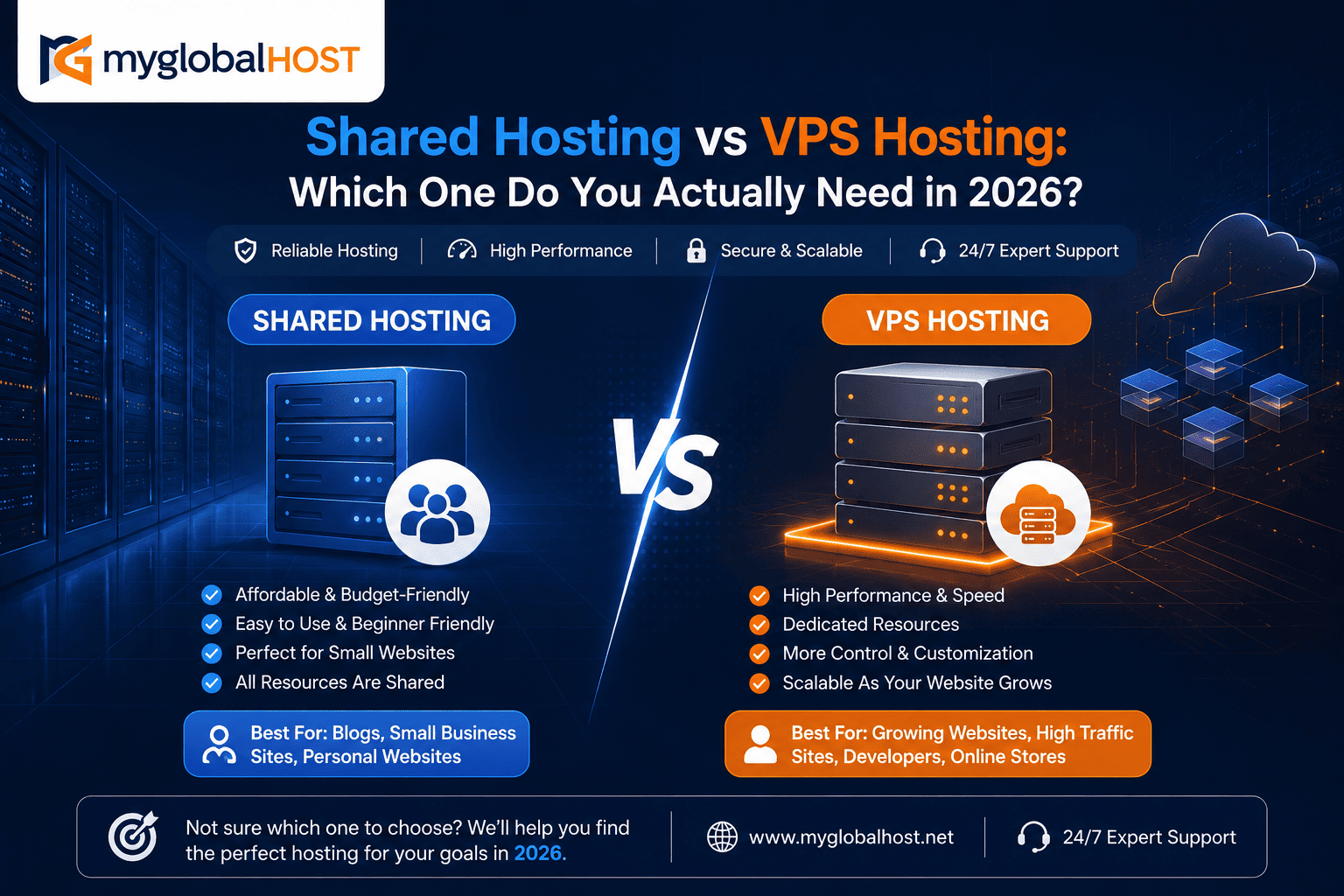
Shared Hosting vs VPS Hosting: Which One Do You Actually Need in 2026?
The Question Nobody Answers Honestly
Search “shared hosting vs VPS” and you will find two types of articles: ones written by VPS companies telling you shared hosting is outdated and dangerous, and ones written by shared hosting companies insisting VPS is overkill for most sites. Neither is giving you the full picture.
Here is the honest version.
In 2026, modern shared hosting on quality infrastructure — LiteSpeed web server, NVMe storage, CloudLinux with per-account resource limits — handles the overwhelming majority of WordPress blogs, business websites, and even light WooCommerce stores without breaking a sweat. VPS companies have a financial incentive to push you toward their more expensive plans, and most people upgrading to a VPS do so years before they actually need to.
At the same time, VPS is genuinely the right choice for specific situations — and staying on shared hosting when you need a VPS is one of the most expensive mistakes a growing website owner can make. It does not cost you money directly. It costs you revenue through slow page loads, failed checkouts, and rankings that never recover.
This guide gives you the real decision framework — not based on what earns the hosting company more margin, but on what your website actually needs right now.
What Each Hosting Type Actually Is
Shared Hosting: One Server, Many Tenants
In shared hosting, your website lives on a physical server alongside dozens or hundreds of other websites. Everyone on that server shares the same physical resources — CPU cores, RAM, disk storage, network bandwidth — divided up among all accounts.
The hosting provider uses software to manage this division. On modern quality infrastructure like myglobalHOST, that software is CloudLinux with LVE (Lightweight Virtual Environment) — a Linux distribution specifically designed for shared hosting servers. CloudLinux enforces hard limits per account: a defined amount of CPU time, RAM, simultaneous PHP processes (Entry Processes), and disk I/O. When any account hits its limit, only that account is throttled — not the entire server, and not your site.
This is a fundamental difference from older shared hosting architectures. On cheap, oversold shared hosting, one account consuming all server CPU affects every other account. On CloudLinux-based shared hosting, account limits are isolated — your site performs according to its allocated slice, regardless of what other accounts are doing.
What you gain with shared hosting:
- Low cost — entry-level plans start at ₹26/month on myglobalHOST
- Zero server management — cPanel handles everything
- Softaculous one-click WordPress installation
- Pre-configured PHP, MySQL, email, SSL — everything ready without technical setup
- Support team responsible for server security, updates, and maintenance
What you give up:
- You cannot exceed your plan’s resource limits regardless of how important it is
- You cannot install custom software at the server level (Redis, custom PHP extensions, specific kernel modules)
- You share physical hardware — under sustained extreme load, even CloudLinux isolation has limits
VPS Hosting: A Server Slice That’s All Yours
A VPS (Virtual Private Server) is a virtualised partition of a physical server where your allocated resources — CPU cores, RAM, storage — are dedicated exclusively to your account. Other VPS accounts on the same physical machine cannot consume your resources, and their traffic or load does not affect your performance.
Think of shared hosting as a block of flats where everyone shares the building’s infrastructure. VPS is a private floor in that same building — your plumbing, electricity, and space are yours alone.
On myglobalHOST’s SSD VPS and NVMe VPS plans, you receive:
- A guaranteed allocation of vCPU cores
- A guaranteed allocation of RAM that no other account can touch
- Dedicated SSD or NVMe storage
- Root access to the server environment
- The ability to install any software, configure any setting, choose any PHP version, enable Redis, run Node.js, Python, or any custom stack
What you gain with VPS:
- Guaranteed, consistent performance — your resources are yours regardless of other users
- Root access and full server control
- Ability to run custom software stacks (Node.js, Python, Redis, custom PHP extensions)
- Better security isolation — no shared filesystem exposure
- Predictable performance under high traffic
What you give up:
- Higher cost — starting from several hundred rupees per month, scaling to thousands
- Server management responsibility — updates, security patches, configuration are your job on unmanaged VPS (managed VPS plans mitigate this)
- More technical knowledge required for initial setup
The 2026 Reality: Modern Shared Hosting Is Far Better Than You Think
This is the context most hosting comparison articles miss entirely.
Shared hosting in 2015 was slow, unreliable, and justifiably criticised. It ran Apache on spinning hard drives, with no per-account resource isolation, and the “noisy neighbor” problem was constant and severe. Any account on the server getting a traffic spike made every other account on the server slow down.
Shared hosting in 2026 is a fundamentally different product.
All myglobalHOST shared hosting plans run on:
- LiteSpeed Enterprise web server — handles 40x more concurrent requests per second than Apache on identical hardware, as documented in independent 2026 benchmarks. See our detailed breakdown: Apache vs LiteSpeed vs Nginx: Which Web Server is Fastest?
- NVMe SSD storage — 5–10x faster random IOPS than SATA SSD, with 5–10x lower latency. See What is NVMe SSD Hosting and Why is it Faster Than Regular SSD?
- CloudLinux with LVE — per-account resource isolation that prevents any single account from affecting others
- LSCache (LiteSpeed Cache) — server-level full-page caching built into the web server itself, serving cached pages from memory without invoking PHP
- PHP 8.3 with OPcache — current-generation PHP with bytecode caching
The result: a quality shared hosting environment in 2026 serves cached WordPress pages in under 100ms TTFB on low traffic, and maintains TTFB under 300–400ms under moderate concurrent load. For a site receiving under 10,000 monthly visitors — which is the majority of websites in India — this is more than sufficient.
Crucially, the bottleneck on modern shared hosting is usually not the hosting itself — it is the WordPress configuration. Poorly optimised themes, twenty unnecessary plugins, no caching enabled, uncompressed images — these problems exist on VPS too and are just as damaging there as on shared hosting. Upgrading to VPS before fixing your WordPress configuration buys expensive hardware to run a slow application faster by a modest margin.
Fix your WordPress configuration first. Enable LiteSpeed Cache, enable OPcache, optimise your images, audit your plugins. Then evaluate whether shared hosting is still insufficient. Many sites discover the answer is no.
Head-to-Head Comparison: The Real Numbers
Performance and Speed
| Metric | Shared Hosting (myglobalHOST) | VPS Hosting (myglobalHOST) |
|---|---|---|
| TTFB (cached pages, low traffic) | 80–150ms | 50–120ms |
| TTFB (uncached, low traffic) | 200–400ms | 100–250ms |
| TTFB (under 100 concurrent users) | 300–600ms | 100–300ms |
| TTFB (under 500 concurrent users) | 600–1,500ms+ | 150–400ms |
| Random IOPS | Shared NVMe pool | Dedicated NVMe allocation |
| PHP execution | LSAPI (fast) | LSAPI or PHP-FPM (fast) |
| Web server | LiteSpeed Enterprise | LiteSpeed (configurable) |
The critical insight from these numbers: at low to moderate traffic (under 100 concurrent users), the TTFB difference between quality shared hosting and entry-level VPS is 100–200ms. That is a real difference, but it is not the enormous gap that VPS marketing implies. At high concurrency — 500 simultaneous users — the gap opens significantly, with shared hosting approaching or exceeding 1,000ms TTFB while VPS stays controlled.
Independent testing found that shared hosting frequently exhibits 1,000+ ms TTFB under moderate traffic loads, while VPS environments consistently maintain sub-400ms response times even during peak load.
The takeaway: for most websites, shared hosting is fast enough. For high-traffic or traffic-spike-prone websites, VPS becomes clearly necessary.
Resource Limits and Scalability
| Resource | Shared Hosting | VPS Hosting |
|---|---|---|
| CPU | Shared pool with CloudLinux limits | Dedicated vCPU cores |
| RAM | Shared pool with per-account limits | Dedicated RAM allocation |
| Entry Processes | Limited (typically 20–40 simultaneous PHP processes) | Configurable, much higher |
| Disk I/O | Shared NVMe with per-account limits | Dedicated allocation |
| MySQL connections | Shared database server | Dedicated or separate database server |
| Scalability | Upgrade to higher shared plan or VPS | Scale vertically (more RAM/CPU) or horizontally |
The Entry Processes limit is often the first shared hosting constraint websites hit. Each simultaneous PHP execution — every concurrent visitor loading an uncached page — consumes one Entry Process. If your plan allows 25 Entry Processes and 30 people simultaneously load uncached pages, 5 of them receive a 503 error or a queue delay.
With LiteSpeed Cache properly configured, cached pages bypass PHP entirely and do not consume Entry Processes. A site receiving 10,000 monthly visitors but with a 95%+ cache hit rate effectively uses almost no Entry Processes for normal traffic. This is why cache configuration matters so much for shared hosting performance.
Security Isolation
| Security Aspect | Shared Hosting | VPS Hosting |
|---|---|---|
| File system isolation | CageFS (separate filesystem per account on myglobalHOST) | Complete isolation |
| PHP execution isolation | CloudLinux LVE | Complete isolation |
| SSH access | Not available (cPanel only) | Full root SSH access |
| Custom firewall rules | Not available | Full control (CSF, iptables) |
| Malware on other accounts | Cannot access your files (with CageFS) | Cannot affect you at all |
| Server-level security | Managed by myglobalHOST | Your responsibility (unmanaged) or managed by provider |
Modern shared hosting with CageFS (the file system isolation component of CloudLinux) provides meaningful security isolation. Each account sees its own separate filesystem view — one account cannot read or write another account’s files even if a vulnerability exists. This eliminates the most common cross-account contamination vector on shared hosting.
However, shared hosting security still has limits. On VPS, you control the firewall, the kernel, the process table, and every layer of security configuration. For websites handling sensitive financial data, healthcare information, or requiring compliance certifications (PCI-DSS, HIPAA, ISO 27001), VPS or dedicated infrastructure is the appropriate choice regardless of traffic levels.
For shared hosting security best practices on myglobalHOST, see Auto Block Attackers with Imunify360 and LiteSpeed WHM and How to Stop Bad Bots in WordPress via Plugin.
Cost Comparison (India Market, 2026)
| Plan Type | myglobalHOST Pricing | What You Get |
|---|---|---|
| Web Hosting (Shared) | From ₹26/month | LiteSpeed, NVMe, cPanel, SSL |
| WordPress Hosting (Shared) | Competitive | Optimised WordPress, CDN, backups |
| Unlimited Hosting (Shared) | Competitive | Multiple sites, LiteSpeed, NVMe |
| Cloud Hosting | Mid-range | Auto-scaling, high availability |
| SSD VPS | From ~₹500+/month | Dedicated SSD, root access, full control |
| NVMe VPS | Premium | Dedicated NVMe, maximum performance |
The honest cost comparison: shared hosting is 5–20x cheaper than VPS for comparable resource quotas. For websites that shared hosting can adequately serve — which is the majority — this cost difference represents significant annual savings that can be invested in content, marketing, or development.
Shared hosting typically delivers 400–800ms TTFB. A quality VPS brings this down to 100–300ms. Shared hosting may throttle at 20–50 simultaneous connections. VPS handles hundreds.
The 8 Real Signs You Have Outgrown Shared Hosting
These are the objective, measurable signals — not the marketing reasons VPS companies use to push upgrades.
Sign 1 — Your TTFB Is Consistently Above 600ms After Caching Is Enabled
First, ensure LiteSpeed Cache is correctly configured. If it is, and your TTFB is still consistently above 600ms — check Google Search Console’s Core Web Vitals report and your PageSpeed Insights score — shared hosting is likely throttling your PHP execution under your actual traffic load. TTFB on a properly configured VPS typically drops to 50–200ms, whereas shared hosting struggling under load regularly exhibits TTFB above 600ms.
Sign 2 — You Are Receiving Resource Limit Notifications from cPanel
If cPanel’s Resource Usage section is showing your account hitting CPU, RAM, or Entry Process limits regularly, you are at the ceiling of what your shared plan can provide. This is the clearest technical signal that an upgrade is necessary. Check this in cPanel → CPU and Concurrent Connection Usage.
Sign 3 — Your Monthly Traffic Consistently Exceeds 50,000–100,000 Pageviews
There is no universal threshold, but once you consistently see 50,000 or more monthly pageviews, most shared hosting environments will start to buckle — especially if your traffic is spiky, with concentrated peaks during product launches, marketing campaigns, or viral moments rather than evenly distributed throughout the month.
Note the word “consistently” — a single viral day does not mean you need VPS. Consistently exceeding these thresholds month over month does.
Sign 4 — Your WooCommerce Store Is Growing Beyond Basic Orders
For database-heavy applications like WooCommerce, the dedicated RAM and CPU of a VPS delivers noticeably faster query execution and page generation. A WooCommerce store doing under 100 orders per month on a well-configured shared hosting plan is fine. A store doing 500+ orders per month, managing inventory in real time, running flash sales that spike traffic, and processing concurrent checkouts needs dedicated database resources that shared hosting cannot reliably guarantee.
Sign 5 — You Need Custom Software That Shared Hosting Cannot Install
Node.js applications, Python/Django deployments, Redis object cache, custom PHP extensions, MongoDB, or any software requiring root-level installation cannot be run on shared hosting. If your application stack requires these, VPS is not optional — it is a technical requirement.
For context: myglobalHOST’s Python Hosting and Node.js Hosting plans provide managed environments for these stacks without requiring full unmanaged VPS configuration — worth evaluating before jumping to an unmanaged VPS.
Sign 6 — You Are Seeing 503 Errors or “Resource Limit Reached” During Traffic Spikes
A 503 Service Unavailable error on shared hosting almost always means your account has hit its Entry Process limit. Visitors during traffic spikes are being turned away rather than queued and served. This is direct, immediate revenue loss for any commercial website.
When a site exceeds shared hosting’s process limits, the server blocks new visitors immediately. Visitors will see an error page instead of your content — common codes include 508 Resource Limit Reached or 503 Service Unavailable.
See How to Fix Error 503 Service Unavailable in WordPress for diagnosis guidance.
Sign 7 — Your Site Manages Sensitive User Data or Requires Compliance
PCI-DSS compliance for payment card data, HIPAA for healthcare information, or enterprise security requirements typically mandate dedicated or isolated infrastructure. Shared hosting’s shared physical environment — even with CloudLinux isolation — does not satisfy many compliance frameworks. If you are storing or processing sensitive user data at scale, VPS is appropriate regardless of traffic volume.
Sign 8 — You Are Running Multiple High-Traffic Sites and Need WHM-Level Control
If you are managing 10+ websites, running a development agency, or need to provision and manage client hosting accounts, Reseller Hosting gives you WHM control panel access on shared infrastructure. If you need even more control — custom server configurations, dedicated IP blocks, complete environment control — VPS is the next step.
The 5 Signs You Do NOT Need VPS Yet
These are equally important. Premature VPS adoption wastes money and adds management complexity you do not need.
1 — Your Traffic Is Under 10,000 Monthly Visitors
If you are getting 10,000 monthly visitors and not seeing resource limit errors, shared hosting is working fine. Upgrading costs money, time, and technical overhead you do not need to spend.
2 — You Have Not Enabled Caching Yet
If you are on shared hosting and experiencing slow load times but have not yet properly configured LiteSpeed Cache, your problem is almost certainly fixable without a hosting upgrade. Set up caching first — full guide here — and re-evaluate. Most apparent “hosting performance” problems dissolve after proper cache configuration.
3 — You Are Not Comfortable Managing a Linux Server
An unmanaged VPS with no one maintaining it is worse than good shared hosting. Security patches do not apply themselves. If you do not have the technical skills or the budget for managed VPS, stay on shared hosting with a reputable provider until you do.
An unmanaged VPS that is misconfigured, unpatched, or running default security settings is a significantly worse environment than well-managed shared hosting — both in performance and in security. Be honest about your technical capability before choosing unmanaged VPS.
4 — Your Shared Hosting Problems Are Actually About the Provider, Not the Plan Type
Sometimes the issue is not that you need a VPS. It is that your current shared host oversells their servers and manages them poorly. Moving to a better shared host — one that runs LiteSpeed, uses NVMe storage, and enforces proper CloudLinux limits — can solve performance problems that look like outgrown hosting but are actually just a bad host.
This is one of the most important insights in this article. If you are on cheap Apache-on-HDD shared hosting and experiencing slow speeds, the correct upgrade path may be to better shared hosting rather than VPS. myglobalHOST’s Web Hosting and WordPress Hosting plans on LiteSpeed + NVMe infrastructure deliver meaningfully better performance than most budget shared hosting products — at comparable price points.
5 — Your Database Is Under 500MB and Queries Are Fast
Database size and query performance are more reliable indicators than raw traffic. A well-structured database under 500MB with indexed queries runs quickly on shared hosting. If your database is growing toward 1GB+ and queries are noticeably slow, that signals a genuine need for dedicated database resources — a VPS signal. See Repair and Optimise MySQL Database on cPanel/WHM Server before assuming the database is the bottleneck.
Decision Framework: Which Hosting Do You Actually Need?
Use this to make the decision without bias:
Choose Shared Hosting if:
- Monthly traffic under 50,000 pageviews (with proper caching)
- WordPress blog, business website, portfolio, or light WooCommerce store
- You want cPanel and Softaculous without server management
- Budget under ₹500/month
- You are starting out and plan to migrate when you actually hit limits
- Your application is PHP/WordPress/standard web stack
Start here: Web Hosting | WordPress Hosting | Unlimited Hosting
Choose Cloud Hosting if:
- Traffic is growing fast and unpredictably
- You need auto-scaling without server management
- You want dedicated resources without full VPS responsibility
- You run WooCommerce stores with seasonal traffic spikes
Start here: Cloud Hosting
Choose Reseller Hosting if:
- You manage multiple client websites
- You want WHM-level control on shared infrastructure
- You are building a hosting business
Start here: Reseller Hosting
Choose SSD VPS if:
- Monthly traffic consistently above 50,000–100,000 pageviews
- You need custom software (Redis, custom PHP extensions)
- You have basic Linux server management knowledge or can hire someone
- Your WooCommerce store is growing beyond 200+ monthly orders
- You need root access for custom configurations
Start here: SSD VPS
Choose NVMe VPS if:
- All the SSD VPS criteria above, plus
- You need maximum database performance (NVMe IOPS advantage)
- You run Python, Django, Node.js, or other custom application stacks
- Your application is I/O-intensive (large media, frequent database writes)
- You want the fastest possible storage tier for your dedicated resources
Start here: NVMe VPS
The Migration Path: Moving from Shared to VPS Without Downtime
When the time does come to move from shared hosting to VPS, the process does not have to be disruptive.
Step 1 — Take a full backup before starting See How to Take a Full Account Backup in cPanel Manually. This is your safety net for the entire migration.
Step 2 — Set up the VPS environment Install cPanel/WHM on the VPS (if required), configure LiteSpeed, set up PHP and MySQL. For LiteSpeed configuration, see How to Reset LiteSpeed Web Admin Password and How to Set Up LiteSpeed Cache in cPanel for WordPress.
Step 3 — Transfer files and database Copy your website files and export/import your MySQL database. See How to Backup MySQL Databases with Mysqldump for reliable database transfer.
Step 4 — Test on the VPS before changing DNS Edit your local hosts file to point your domain to the new VPS IP and test the site fully before touching DNS. Check all pages, forms, checkout flows, and email functionality.
Step 5 — Update DNS with a low TTL first Change your domain’s DNS TTL to 300 seconds (5 minutes) 24–48 hours before migration. Then update the A record to your new VPS IP. With a 5-minute TTL, full propagation happens rapidly. See How to Add, Edit and Manage DNS in cPanel and use our DNS Checker to confirm propagation.
Step 6 — Secure the VPS immediately after going live Install CSF Firewall, configure CSF for maximum security, and set up Imunify360. A VPS that goes live without security hardening is a significant vulnerability.
Frequently Asked Questions
Can I host multiple WordPress sites on shared hosting? Yes — myglobalHOST’s Unlimited Hosting allows multiple websites on one account. Each site gets its own cPanel subdirectory, SSL certificate, and email accounts. For managing multiple client sites professionally, Reseller Hosting adds WHM-level account management.
Does shared hosting affect my SEO? Not directly — Google does not penalise websites for being on shared hosting. What affects SEO is page speed and Core Web Vitals performance. On quality LiteSpeed + NVMe shared hosting with proper caching, Core Web Vitals scores are achievable that are sufficient for good rankings. See Does Cloudflare Hurt SEO? and Does WP Rocket Hurt SEO? for the SEO factors that matter more than hosting type.
Is VPS hosting hard to manage? Unmanaged VPS requires Linux command-line knowledge, server security awareness, and willingness to apply patches and monitor logs. Managed VPS (where the provider handles server maintenance) reduces this significantly. If you are not comfortable with Linux servers, evaluate Cloud Hosting first — it provides dedicated-resource performance with managed infrastructure.
How do I know if my shared hosting is being oversold? Log in to cPanel → look for Resource Usage section. If you regularly see CPU or Entry Process usage near 100% during normal traffic periods, the server may be oversold. Move to a provider using CloudLinux with proper per-account limits — like myglobalHOST — before considering VPS.
Can I upgrade from shared hosting to VPS without losing my data? Yes. Upgrading to a myglobalHOST VPS from a shared plan involves transferring your files and database — not deleting them. Our support team can assist with migration. Raise a ticket through your Client Dashboard to discuss your migration.
The Bottom Line
Shared hosting is not inferior hosting. It is the right product for the majority of websites — particularly on quality LiteSpeed + NVMe + CloudLinux infrastructure like myglobalHOST provides. The people telling you that you need a VPS when you get 5,000 visitors a month are usually the same people selling you the VPS.
VPS is genuinely necessary when your traffic consistently exceeds 50,000–100,000 monthly pageviews, when you need custom software configurations, when your WooCommerce store is handling hundreds of monthly orders under concurrent checkout load, or when compliance requirements mandate dedicated resources.
The most expensive mistake is not choosing the wrong hosting tier. It is staying on the wrong tier after you have clearly outgrown it — and ignoring the 503 errors, the slow TTFB under load, and the resource limit notifications that tell you exactly when that moment has arrived.
Start where your site is today. Optimise your WordPress configuration and caching. Monitor your resource usage. And upgrade when the numbers tell you to — not when a marketing page does.
If you are unsure which plan is right for your specific situation, raise a support ticket through your myglobalHOST Client Dashboard and our team will review your requirements honestly.
Related Knowledge Base Articles
Performance & Hosting Infrastructure
- What is NVMe SSD Hosting and Why is it Faster Than Regular SSD?
- Apache vs LiteSpeed vs Nginx: Which Web Server is Fastest?
- How to Set Up LiteSpeed Cache in cPanel for WordPress
- How to Enable OPcache in cPanel
- Fixing Compatibility Issues Between LiteSpeed Cache and WooCommerce
WordPress & Setup
- How to Install WordPress in cPanel Using Softaculous
- Does WP Rocket Hurt SEO? What WordPress Users Need to Know
- Does Cloudflare Hurt SEO? What Google Won’t Tell You
- How to Fix Error 503 Service Unavailable in WordPress
- Fatal Error: Allowed Memory Size Error in WordPress
cPanel & Server Management
- How to Take a Full Account Backup in cPanel Manually
- How to Backup MySQL Databases with Mysqldump
- Repair and Optimise MySQL Database on cPanel/WHM Server
- How to Add, Edit and Manage DNS in cPanel
- How to Login to cPanel at myglobalHOST
Security
- How to Install CSF Firewall in WHM/cPanel
- How to Configure CSF in WHM/cPanel for Maximum Security
- Auto Block Attackers with Imunify360 and LiteSpeed WHM
- How to Stop Bad Bots in WordPress via Plugin
myglobalHOST Account
- How to Upgrade a Hosting Plan
- How to Purchase a Shared Hosting Plan
- How to Purchase a Cloud Hosting Plan
- What Are the Support Timings?
- WordPress Hosting in India — The Ultimate Guide
- myglobalHOST vs MilesWeb — A Comprehensive Web Hosting Showdown
Explore myglobalHOST Plans — From Shared to VPS
| Plan | Type | Ideal Monthly Traffic | Technical Skill Needed | Starting Price |
|---|---|---|---|---|
| Web Hosting | Shared | Under 30,000 pageviews | None | ₹26/month |
| WordPress Hosting | Shared (WP-optimised) | Under 50,000 pageviews | None | Competitive |
| Unlimited Hosting | Shared | Multiple sites, under 50K each | None | Competitive |
| Custom Hosting | Shared (flexible) | Varies by config | None | From ₹26/month |
| Cloud Hosting | Cloud (auto-scaling) | 50,000–500,000 pageviews | Low | Mid-range |
| Reseller Hosting | Shared + WHM | Multiple client sites | Low-Medium | Competitive |
| SSD VPS | VPS | 100,000+ pageviews | Medium-High | From ~₹500/month |
| NVMe VPS | VPS (max performance) | 100,000+ pageviews | Medium-High | Premium |
| Python Hosting | Managed Python | N/A — app-based | Medium | Competitive |
| Node.js Hosting | Managed Node.js | N/A — app-based | Medium | Competitive |
This article is part of the myglobalHOST Knowledge Base — honest, evidence-backed guides on hosting, WordPress, performance, and server management written specifically for myglobalHOST customers and anyone evaluating hosting options in India.


