
Search for the Solution?
Apache vs LiteSpeed vs Nginx
Apache vs LiteSpeed vs Nginx: Which Web Server is Fastest in 2026?
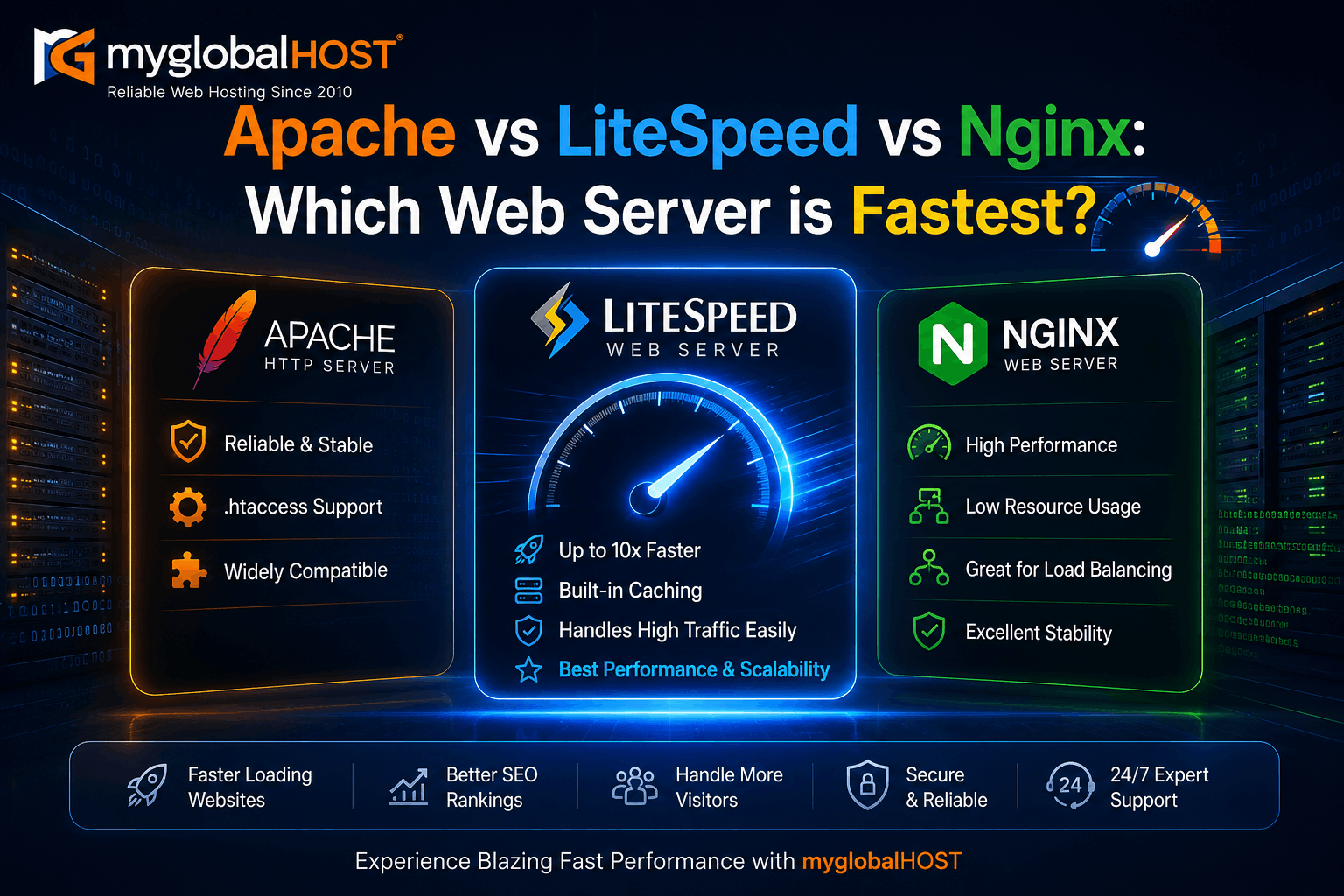
Introduction: Why Your Web Server Is the Most Overlooked Hosting Factor
When website owners investigate slow page speeds, they typically look at caching plugins, image sizes, CDN configuration, and database queries. Very few look at the web server software itself — the layer that sits beneath all of those and handles every single HTTP request before any of the others even get involved.
The web server is the digital gatekeeper of your website. When a visitor types your URL, their browser sends a request across the internet. The web server receives that request, decides how to handle it, routes it to PHP or serves it from cache, and sends the response back. Every millisecond of that process is determined by the web server software and its architecture.
In 2026, three web servers dominate the hosting landscape: Apache, Nginx, and LiteSpeed. Each has a distinct architecture, different strengths, and genuinely different performance characteristics under real-world conditions. The choice between them is not a minor technical footnote — it is one of the most consequential infrastructure decisions affecting your website’s speed, SEO rankings, Core Web Vitals scores, and ability to handle traffic.
This guide compares all three in depth — architecture, real benchmark numbers, PHP handling, caching capabilities, WordPress performance, cPanel compatibility, and security — so you can understand exactly what your hosting provider is running and why it matters.
At myglobalHOST, every shared hosting, WordPress hosting, cloud hosting, and reseller hosting plan runs LiteSpeed Enterprise as the default web server. This article explains precisely why that decision was made and what it means for your website’s performance.
A Quick History: How We Got Here
Apache HTTP Server was released in 1995 and quickly became the world’s most popular web server. By the early 2000s, it powered the majority of websites on the internet. Its flexibility, module ecosystem, and widespread adoption made it the default choice for hosting providers worldwide, including the first generation of cPanel-based shared hosting.
The problem Apache struggled with was concurrency. Its traditional architecture spawned a new process or thread for each incoming connection — a model that worked well for low traffic but became severely resource-intensive as the number of simultaneous connections grew. This became known as the C10k problem — the challenge of handling 10,000 concurrent connections efficiently.
Nginx (pronounced “Engine X”) was released in 2004 specifically to solve the C10k problem. Its event-driven, non-blocking architecture handled thousands of simultaneous connections within a single thread, using dramatically less memory than Apache’s process-per-connection model. Nginx became the preferred choice for high-traffic sites and reverse proxy deployments.
LiteSpeed Web Server entered the commercial market in 2003, with its free OpenLiteSpeed variant following. It combined the best of both worlds: Apache’s compatibility and configuration model (including native .htaccess support) with an event-driven architecture comparable to Nginx — plus a proprietary PHP interface and a built-in full-page cache engine that neither Apache nor Nginx could match natively.
As of 2026, all three remain actively maintained and widely deployed. But their market positions and performance characteristics have diverged significantly.
Architecture: How Each Server Handles Requests
Understanding the architectural differences is essential to understanding why the benchmark numbers turn out the way they do.
Apache: Process-Based Model
Apache’s traditional model — still used by many shared hosting environments — is the prefork MPM (Multi-Processing Module). In this model, Apache maintains a pool of worker processes. Each incoming connection is assigned its own process. When a connection is complete, the process either waits for another connection or is terminated.
The consequences of this architecture are significant:
- Each Apache process typically consumes 8 to 25MB of RAM
- A server with 2GB of RAM allocated to Apache can theoretically handle approximately 80 to 100 simultaneous connections before memory pressure begins causing degradation
- Under high concurrency, Apache processes pile up, memory usage spikes, and — on a shared hosting server with many accounts — the OOM (Out of Memory) killer becomes a real risk
Apache’s newer Event MPM improves on this by handling keep-alive connections more efficiently, but its fundamentally process-oriented model still consumes more memory per connection than event-driven alternatives.
The one genuine architectural advantage Apache retains is its native .htaccess support — the ability to read directory-level configuration files that override server-wide settings. WordPress, WooCommerce, and hundreds of plugins rely heavily on .htaccess rules for redirects, security headers, and cache control. On Apache, these work automatically without any additional configuration.
Nginx: Event-Driven, Non-Blocking Architecture
Nginx solved the C10k problem by using a fundamentally different approach. Instead of one process per connection, Nginx uses a small number of worker processes — typically one per CPU core — each running an event-driven, non-blocking I/O loop. Each worker can handle thousands of connections simultaneously by cycling through them in a single thread, only spending CPU time on connections that have actual data to process.
The result: Nginx handles massive concurrency with minimal memory overhead. A single Nginx worker process can manage thousands of simultaneous connections while using far less RAM than Apache would need for the same load.
However, Nginx has a significant limitation for dynamic web hosting: it does not speak PHP natively. Every PHP request must be passed to an external PHP-FPM (FastCGI Process Manager) daemon via a Unix socket or TCP connection. This inter-process communication introduces a small but measurable latency overhead — a “Unix socket handshake” — on every dynamic page request. For WooCommerce stores with hundreds of database queries per page, this latency compounds across every request.
Nginx also does not support .htaccess files natively. Server configuration must be done at the virtual host level by the system administrator — fine for experienced developers with server access, but a limitation for shared hosting environments where individual users need per-directory configuration.
LiteSpeed: Event-Driven with Apache Compatibility and Native PHP
LiteSpeed’s architecture combines the advantages of both. Like Nginx, it uses an event-driven, non-blocking I/O model that handles high concurrency with low memory overhead. Unlike Nginx, it achieves this while maintaining full compatibility with Apache’s configuration ecosystem.
LiteSpeed reads and interprets .htaccess files natively — every WordPress plugin, security rule, redirect, and cache header that Apache handles through .htaccess works identically on LiteSpeed without any modification. This makes LiteSpeed a genuine drop-in replacement for Apache on cPanel hosting environments, requiring zero changes to existing WordPress installations or plugin configurations.
The critical differentiator is LSAPI (LiteSpeed Server Application Programming Interface) — LiteSpeed’s proprietary PHP handler. Unlike Nginx’s PHP-FPM approach, which requires inter-process communication between the web server and PHP, LSAPI maintains persistent connections directly to PHP processes, handling the complete request lifecycle — connection, PHP execution, database calls, response — within a single optimised pipeline. This eliminates the FastCGI handshake overhead that adds latency to every Nginx dynamic request.
And then there is LSCache — LiteSpeed’s built-in server-level full-page cache engine. This is not a plugin. It is built directly into the web server itself. When a page is cached, LiteSpeed serves it directly from server memory — bypassing PHP, bypassing the database, and bypassing the filesystem entirely. The page is served at the same speed as a static HTML file, but with all the dynamic content management capabilities of WordPress.
For a complete guide on setting up LSCache with WordPress, see How to Set Up LiteSpeed Cache in cPanel for WordPress.
Architecture Comparison at a Glance
| Feature | Apache | Nginx | LiteSpeed Enterprise |
|---|---|---|---|
| Architecture | Process-based (Prefork/Event MPM) | Event-driven, non-blocking | Event-driven, non-blocking |
| Concurrency Model | One process/thread per connection | Event loop per worker | Event loop per worker |
| RAM per Connection | 8–25 MB | ~1–2 KB | ~1–2 KB |
| .htaccess Support | Native | None (vhost config only) | Native (Apache-compatible) |
| PHP Handling | mod_php / PHP-FPM | PHP-FPM (external) | LSAPI (native, faster) |
| Built-in Page Cache | None | None (FastCGI cache partial) | LSCache (full page cache engine) |
| HTTP/3 (QUIC) | Limited | Yes (with patch/module) | Yes (native) |
| cPanel Compatibility | Native | Limited | Native (drop-in for Apache) |
| .htaccess Migration | N/A | Requires manual conversion | None needed |
| Licence | Free (open source) | Free (open source) | Commercial Enterprise / Free OpenLiteSpeed |
The Benchmark Numbers: What Real-World Tests Show
Benchmark results vary by hardware, configuration, workload type, and test methodology. The figures below represent real tests conducted on comparable hardware by independent researchers and hosting providers in 2024–2026, with consistent methodology.
Static File Serving
For serving static HTML, CSS, JavaScript, and image files — content that requires no PHP execution or database query — Nginx and LiteSpeed perform comparably and both dramatically outperform Apache.
In a comprehensive benchmark across six web servers using wrk as the load tester on identical hardware:
- Nginx: ~8,000–9,000 requests per second (RPS) for small static files
- LiteSpeed: ~8,000–8,600 RPS for small static files — closely matching Nginx
- Apache: Significantly lower RPS, with substantially higher CPU usage for the same load
The static file gap between Apache and both event-driven servers is wide and consistent across all test environments.
Dynamic WordPress Pages — Without Caching
This is where architecture differences become most dramatic and most relevant to real hosting workloads.
On identical hardware (2 vCPU, 2GB RAM Hetzner server) running default WordPress without caching:
- Apache (default config): Handles approximately 350 requests/second before CPU saturates at 100%, with error rates beginning to climb
- Nginx + PHP-FPM: Handles approximately 350 requests/second before similar CPU saturation — comparable to tuned Apache at this scale
- LiteSpeed Enterprise (with default LSCache enabled): Handles 2,400 requests/second without timeouts, with CPU sitting comfortably under 35%
The gap is approximately 40–100x in successful responses under sustained load, with LiteSpeed showing 542,049 successful responses versus Apache’s 12,797 in a sustained load test on the same hardware. Apache and Nginx both saturate CPU at 100%; LiteSpeed does not.
Dynamic WordPress Pages — With Caching Enabled
When full-page caching is added to Apache and Nginx (via WP Rocket, WP Fastest Cache, or Nginx FastCGI cache), the gap narrows significantly for single-test scenarios. However, under sustained high-load tests — the kind that simulate a traffic spike over several minutes — the advantage of LiteSpeed’s server-level cache remains meaningful:
- Nginx + FastCGI cache: Solid performance, but Nginx’s FastCGI cache implementation is less sophisticated than LSCache — it lacks tag-based purging, ESI (Edge Side Includes), and deep WordPress/WooCommerce integration
- Apache + WP Rocket or WP Fastest Cache: Improved over uncached Apache, but plugin-based caching still invokes PHP for cache checks, adding overhead that server-level LSCache avoids entirely
- LiteSpeed + LSCache: Serves cached pages from server memory at static-file speed, with tag-based intelligent purging — only the exact pages that changed are invalidated, not the entire cache
For the documented risks of plugin-based caching (particularly WP Rocket) on top of LiteSpeed infrastructure, see our detailed guide: Does WP Rocket Hurt SEO?
High Concurrency Stress Test
At high concurrency — simulating 1,000 simultaneous connections sustained over time — the architectural differences become the dominant factor:
- Apache (Prefork MPM): Memory exhaustion risk on typical shared hosting RAM allocations. MaxRequestWorkers ceiling reached, subsequent connections queue or drop
- Apache (Event MPM): Better than Prefork under concurrency, but still more memory-intensive than event-driven alternatives
- Nginx: Handles concurrency extremely well — memory per connection is minimal, the event loop does not exhaust
- LiteSpeed: Matches Nginx’s concurrency efficiency while adding LSAPI’s PHP performance advantage and LSCache’s cache-hit throughput advantage
The practical conclusion: under sustained high concurrency — traffic spikes, viral posts, sale events — LiteSpeed and Nginx both outperform Apache substantially. Between LiteSpeed and Nginx, LiteSpeed’s advantage comes from LSAPI (faster PHP handling than PHP-FPM) and LSCache (faster cache serving than FastCGI cache or plugin-based caching).
CPU and Memory Efficiency
On the same workload, LiteSpeed consistently uses less CPU than Apache and comparable memory to Nginx, while serving more requests per second than both. In the sustained load test described above:
- Apache: 100% CPU at 350 RPS (saturated)
- Nginx: 100% CPU at comparable RPS (saturated)
- LiteSpeed: Under 35% CPU at 2,400 RPS (not saturated)
This efficiency matters significantly for shared hosting environments where CPU and RAM are shared across multiple accounts. LiteSpeed’s lower resource usage per request means more hosting accounts can share the same hardware without competing aggressively for resources — a direct benefit for every customer on a shared infrastructure.
PHP Handling: The Detail That Changes Everything for WordPress
For WordPress and WooCommerce — which are PHP applications — how the web server handles PHP execution is the single most important performance variable after caching.
Apache: mod_php and PHP-FPM
Apache historically ran PHP via mod_php — a PHP module loaded directly into the Apache process. This was convenient but meant every Apache worker process carried PHP in memory even when serving static files. Modern Apache deployments have largely moved to PHP-FPM, which separates PHP processes from Apache workers. This is more efficient but still requires inter-process communication between Apache and PHP-FPM.
Nginx: PHP-FPM Only
Nginx has no native PHP capability and always relies on PHP-FPM. Every PHP request goes: Nginx receives request → passes to PHP-FPM via Unix socket → PHP-FPM executes → returns result to Nginx → Nginx sends response. The Unix socket communication adds latency on every dynamic request. For low-concurrency sites this is imperceptible. For WooCommerce stores under load, it compounds.
LiteSpeed: LSAPI — The Native PHP Interface
LSAPI (LiteSpeed Server Application Programming Interface) is a dedicated communication protocol built specifically for LiteSpeed and PHP. Unlike PHP-FPM, which communicates through FastCGI (a generic protocol originally designed for CGI compatibility), LSAPI maintains persistent, optimised connections between LiteSpeed and PHP processes using a protocol specifically designed for their interaction.
The result: lower PHP execution latency on every dynamic request compared to both mod_php on Apache and PHP-FPM on Nginx. For a WordPress site running 50 PHP-involved requests under moderate concurrency, LSAPI’s advantage per-request multiplies into a meaningful TTFB reduction.
Changing PHP versions in cPanel on LiteSpeed hosting is straightforward — the version selector in cPanel applies to LSAPI automatically. If you ever need PHP extensions installed, see our guide on How to Install Imagick PHP Extension from WHM Interface.
HTTP/3 and QUIC: The Protocol Advantage
HTTP/3 — the third major version of the HTTP protocol, built on the QUIC transport layer — delivers measurable performance improvements for real-world web browsing, particularly on mobile networks with variable latency. Key benefits include connection establishment without the multi-round-trip handshake required by HTTP/2 over TLS, better handling of packet loss (no head-of-line blocking), and faster reconnection when a user’s IP address changes.
- Apache: HTTP/3 support requires additional modules and is not production-ready in most shared hosting configurations as of 2026
- Nginx: HTTP/3 support exists but historically required patches; mainline Nginx added it experimentally, but it is not enabled by default in most hosting environments
- LiteSpeed Enterprise: HTTP/3 with QUIC is natively built-in and enabled by default — no additional modules, no patches, no configuration required
For website owners, LiteSpeed’s native HTTP/3 support means all pages are delivered over the fastest available protocol automatically, with measurable improvements for mobile users and visitors on higher-latency connections — the growing majority of web traffic in India.
cPanel Compatibility: The Shared Hosting Reality
For the majority of website owners using shared hosting, the cPanel control panel is their primary interface for managing their website. How well the web server integrates with cPanel has direct practical consequences.
Apache was cPanel’s original and historic default web server. Its integration is deep and thoroughly tested. Every cPanel feature — addon domains, subdomains, .htaccess management, SSL configuration, PHP version selection, FTP, email — has been built around Apache’s behaviour over two decades.
Nginx has limited cPanel integration as a standalone web server. It is most commonly deployed in shared hosting environments as a reverse proxy in front of Apache — Nginx handles static files and connection management, Apache handles dynamic PHP requests. This hybrid setup adds architectural complexity and still retains Apache’s memory overhead for PHP handling.
LiteSpeed Enterprise is a true drop-in replacement for Apache in cPanel. It reads the same configuration files, supports the same .htaccess rules, responds to the same API calls, and works with all cPanel features without modification. From a user’s perspective, switching from Apache to LiteSpeed on cPanel is invisible — everything works identically, just faster.
This is why LiteSpeed has become the preferred web server for serious cPanel hosting providers: maximum Apache compatibility, maximum WordPress compatibility, significantly better performance. Customers do not need to change anything about their WordPress installation, their plugins, or their configurations. They simply experience faster page loads.
For essential cPanel management tasks on your myglobalHOST account, see:
- How to Login to cPanel at myglobalHOST
- How to Add a New Domain in cPanel (Addon Domain)
- How to Create a Subdomain in cPanel Hosting
- 5 Life-Saving Tricks for cPanel File Manager
Security: Built-In Protection Comparison
Web server security is a multi-layered topic, but each server has distinct built-in security capabilities.
Apache has a rich module ecosystem for security — mod_security (Web Application Firewall), mod_evasive (DDoS protection), and granular directory-level access control via .htaccess. Its maturity means well-documented hardening procedures exist for virtually every scenario.
Nginx has robust rate limiting (limit_req, limit_conn directives) and straightforward virtual host access controls. ModSecurity is available as a dynamic module. Its minimalist configuration surface reduces the attack surface in some respects.
LiteSpeed includes practical built-in anti-bot tools, per-virtual host rate limiting, and native ModSecurity support. Critically, LiteSpeed Enterprise includes built-in DDoS protection and connection throttling that operate at the web server level — before requests reach PHP or the database, minimising the resource impact of attacks.
For shared hosting environments, LiteSpeed’s built-in protections combine with server-level tools like Imunify360 and CSF Firewall to provide a robust security layer. See our guides:
- Auto Block Attackers with CSF and LiteSpeed WHM
- Auto Block Attackers with Imunify360 and LiteSpeed WHM
- How to Install CSF Firewall in WHM/cPanel
- How to Stop Bad Bots in WordPress via Plugin
- Stop Bad Bots in cPanel/WHM Using ModSecurity
Web Server and SEO: The Direct Connection
The choice of web server has a measurable, direct impact on your website’s SEO performance through its effect on Core Web Vitals and TTFB.
TTFB (Time to First Byte)
TTFB is a component of Largest Contentful Paint (LCP) — Google’s primary Core Web Vitals metric. Lower TTFB means lower LCP. LiteSpeed’s combination of LSAPI (faster PHP execution) and LSCache (server-level page serving) produces lower TTFB than comparable Apache or Nginx configurations, particularly under concurrent load.
Core Web Vitals Under Load
The TTFB difference between web servers is most pronounced during traffic spikes — exactly when it matters most for SEO, because Googlebot typically crawls when your site is under some level of traffic. A server that maintains low TTFB under concurrent load signals consistent quality to Google.
Crawl Budget
Googlebot has a finite crawl budget per domain. If your server responds slowly — because it is running Apache under concurrent load and response times are climbing — Google crawls fewer of your pages per session. LiteSpeed’s capacity to handle more concurrent requests without TTFB degradation means Googlebot can crawl more efficiently.
If you are experiencing SEO issues you suspect are server-related, also review our guides on Does Cloudflare Hurt SEO? and Does WP Rocket Hurt SEO? — proxy layer and caching plugin issues can mask or compound web server performance problems.
The Honest Verdict: Which Web Server Is Fastest?
| Scenario | Fastest | Second | Third |
|---|---|---|---|
| Static file serving | Nginx ≈ LiteSpeed | Nginx ≈ LiteSpeed | Apache |
| Dynamic PHP (uncached) | LiteSpeed (LSAPI) | Nginx (PHP-FPM) | Apache |
| WordPress with full-page cache | LiteSpeed (LSCache) | Nginx (FastCGI cache) | Apache (plugin cache) |
| High concurrency (1000+ connections) | LiteSpeed = Nginx | LiteSpeed = Nginx | Apache |
| CPU efficiency under load | LiteSpeed | Nginx | Apache |
| Memory efficiency | LiteSpeed ≈ Nginx | LiteSpeed ≈ Nginx | Apache |
| HTTP/3 / QUIC | LiteSpeed (native) | Nginx (experimental) | Apache (limited) |
| cPanel integration | LiteSpeed = Apache | LiteSpeed = Apache | Nginx (limited) |
| .htaccess support | Apache = LiteSpeed | Apache = LiteSpeed | Nginx (none) |
| Built-in caching | LiteSpeed (LSCache) | None comparable | None comparable |
| WordPress overall | LiteSpeed | Nginx | Apache |
The clear, evidence-based answer:
- For WordPress and WooCommerce hosting: LiteSpeed is the fastest option across the metrics that matter — TTFB, PHP handling, concurrency, caching, and HTTP/3
- For high-traffic static content delivery or reverse proxy: Nginx is excellent and well-suited
- For maximum Apache compatibility without performance upgrade: Apache with Event MPM is adequate for low-to-medium traffic
- For cPanel shared hosting: LiteSpeed is the optimal choice — combining Apache compatibility with Nginx-level concurrency and built-in caching that neither Apache nor Nginx can match
OpenLiteSpeed vs LiteSpeed Enterprise: What’s the Difference?
OpenLiteSpeed is the free, open-source version of LiteSpeed. It provides the same event-driven architecture and basic LSCache functionality. However, it lacks several features critical for shared cPanel hosting:
- No native cPanel integration (requires manual configuration)
- Fewer per-virtual host controls
- Less granular cache management
- No commercial support with guaranteed SLAs
LiteSpeed Enterprise is the commercial version used by myglobalHOST across all plans. It includes full cPanel integration, advanced LSCache with per-account management, commercial support, and all features documented in this article. The licensing cost is absorbed into the hosting plan — you pay nothing extra for LiteSpeed Enterprise on any myglobalHOST plan.
What This Means for Your myglobalHOST Hosting
Every myglobalHOST hosting plan — Web Hosting, WordPress Hosting, Unlimited Hosting, Cloud Hosting, Custom Hosting, and Reseller Hosting — runs LiteSpeed Enterprise as the default web server, on NVMe storage (see What is NVMe SSD Hosting and Why is it Faster Than Regular SSD?).
This means:
- Every page request is handled by an event-driven server that can manage thousands of concurrent connections efficiently
- Every PHP request is executed through LSAPI, not PHP-FPM, for lower per-request latency
- Every WordPress installation has access to LSCache at the server level, with no additional cost or plugin purchase required
- Every site benefits from native HTTP/3 delivery
- Every cPanel account retains full .htaccess compatibility without modification
To maximise the performance of LiteSpeed Enterprise on your myglobalHOST account:
- Enable LiteSpeed Cache — How to Set Up LiteSpeed Cache in cPanel for WordPress — the most impactful single step
- Enable PHP OPcache — How to Enable OPcache in cPanel — complements LSAPI’s PHP handling
- Install WordPress correctly — How to Install WordPress in cPanel Using Softaculous
- Force HTTPS — Force HTTPS Using .htaccess — LiteSpeed handles HTTPS redirects at the server level with zero overhead
- Secure your account — How to Configure CSF in WHM/cPanel for Maximum Security
- Configure email correctly — WordPress SMTP Setup Guide
For Reseller Hosting customers managing multiple client sites, LiteSpeed Enterprise provides WHM-level cache management — enabling, disabling, and managing LSCache across all client WordPress installations from a single interface, without logging into individual cPanel accounts. For bulk cache management, see Bulk Delete LSCache Folder in cPanel/WHM.
For SSD VPS and NVMe VPS customers who manage their own server configuration, LiteSpeed can be combined with Redis Object Cache for additional performance gains. If you ever need to reset your LiteSpeed Web Admin password, see How to Reset LiteSpeed Web Admin Password.
Choosing a Web Server: The Decision Framework
| Your Situation | Recommended Web Server |
|---|---|
| WordPress on cPanel shared hosting | LiteSpeed Enterprise |
| WooCommerce store, high traffic | LiteSpeed Enterprise |
| Multiple WordPress sites (reseller) | LiteSpeed Enterprise |
| Static content CDN / reverse proxy only | Nginx |
| High-traffic API server (non-WordPress) | Nginx |
| Legacy PHP application requiring Apache-specific modules | Apache |
| Developer VPS with full control | LiteSpeed or Nginx (depends on stack) |
| Node.js application hosting | Nginx (as reverse proxy) |
For Node.js Hosting and Python Hosting customers, LiteSpeed or Nginx typically acts as a reverse proxy in front of your application, handling SSL termination and static asset serving while passing dynamic requests to your application server. This is a well-supported configuration on all myglobalHOST VPS plans.
Summary
Three web servers, three distinct architectures, three sets of trade-offs:
Apache — The original, most flexible, most documented. Full .htaccess and cPanel compatibility. Weakest performance under high concurrency due to its process-based model. Best for: legacy applications, environments where Apache-specific modules are required.
Nginx — The event-driven performance leader for static content and high concurrency. No .htaccess support, no native PHP, no built-in page cache. Best for: static content delivery, reverse proxying, API servers, high-traffic sites with a dedicated server team.
LiteSpeed Enterprise — The optimal choice for cPanel-based WordPress and WooCommerce hosting in 2026. Matches Nginx’s concurrency efficiency, surpasses both Apache and Nginx in PHP handling via LSAPI, outperforms both in cached WordPress throughput via LSCache, and adds native HTTP/3, built-in security tools, and full Apache/.htaccess compatibility that makes it a zero-friction upgrade from Apache.
The benchmark numbers are clear: under real WordPress workloads, LiteSpeed handles 40–100x more requests per second than Apache on the same hardware, and maintains under 35% CPU while Apache saturates at 100%. For any website where performance, SEO, and uptime under traffic spikes matter — which is every website — LiteSpeed Enterprise is the web server to run.
It is the web server running on every myglobalHOST server, on every plan, for every customer.
Related Knowledge Base Articles
- How to Set Up LiteSpeed Cache in cPanel for WordPress (Step-by-Step)
- What is NVMe SSD Hosting and Why is it Faster Than Regular SSD?
- Does WP Rocket Hurt SEO? What WordPress Users Need to Know
- Does Cloudflare Hurt SEO? What Google Won’t Tell You
- How to Install WordPress in cPanel Using Softaculous
- How to Enable OPcache in cPanel
- Fixing Compatibility Issues Between LiteSpeed Cache and WooCommerce
- How to Reset LiteSpeed Web Admin Password
- Auto Block Attackers with CSF and LiteSpeed WHM
- Auto Block Attackers with Imunify360 and LiteSpeed WHM
- How to Install CSF Firewall in WHM/cPanel 2026
- How to Configure CSF in WHM/cPanel for Maximum Security
- How to Stop Bad Bots in WordPress via Plugin
- Stop Bad Bots in cPanel/WHM Using ModSecurity
- Bulk Delete LSCache Folder in cPanel/WHM
- Force HTTPS Using .htaccess
- How to Add a New Domain in cPanel (Addon Domain)
- How to Create a Subdomain in cPanel Hosting
- 5 Life-Saving Tricks for cPanel File Manager
- WordPress SMTP Setup Guide
- How to Install Imagick PHP Extension from WHM Interface
- WordPress Hosting in India — The Ultimate Guide
Explore myglobalHOST Plans — All Powered by LiteSpeed Enterprise
| Plan | Web Server | NVMe Storage | Best For |
|---|---|---|---|
| Web Hosting | LiteSpeed Enterprise | ✅ Yes | Blogs, small business websites |
| WordPress Hosting | LiteSpeed Enterprise | ✅ Yes | WordPress and WooCommerce sites |
| Unlimited Hosting | LiteSpeed Enterprise | ✅ Yes | Multiple websites |
| Cloud Hosting | LiteSpeed Enterprise | ✅ Yes | High-traffic and growing sites |
| Custom Hosting | LiteSpeed Enterprise | ✅ Yes | Bespoke configurations |
| Reseller Hosting | LiteSpeed Enterprise | ✅ Yes | Agencies and web developers |
| SSD VPS | LiteSpeed (configurable) | SSD | Dedicated VPS environments |
| NVMe VPS | LiteSpeed (configurable) | ✅ NVMe | Maximum performance VPS |
| Python Hosting | LiteSpeed (reverse proxy) | ✅ Yes | Python / Django applications |
| Node.js Hosting | LiteSpeed (reverse proxy) | ✅ Yes | Node.js applications |
This article is part of the myglobalHOST Knowledge Base — in-depth technical guides on hosting infrastructure, WordPress performance, web servers, cPanel, and server management written specifically for myglobalHOST customers.


