
Search for the Solution?
What is Web Hosting? A Complete Beginner’s Guide
What is Web Hosting? A Complete Beginner’s Guide (2026)
Web Hosting Kya Hai? — Starting From Zero
If you have just started researching how to build a website and the words “web hosting” keep appearing everywhere, you are in the right place. This guide explains everything — in plain language, with real-world analogies that make the technical concepts stick — so you can make informed decisions before spending a single rupee.
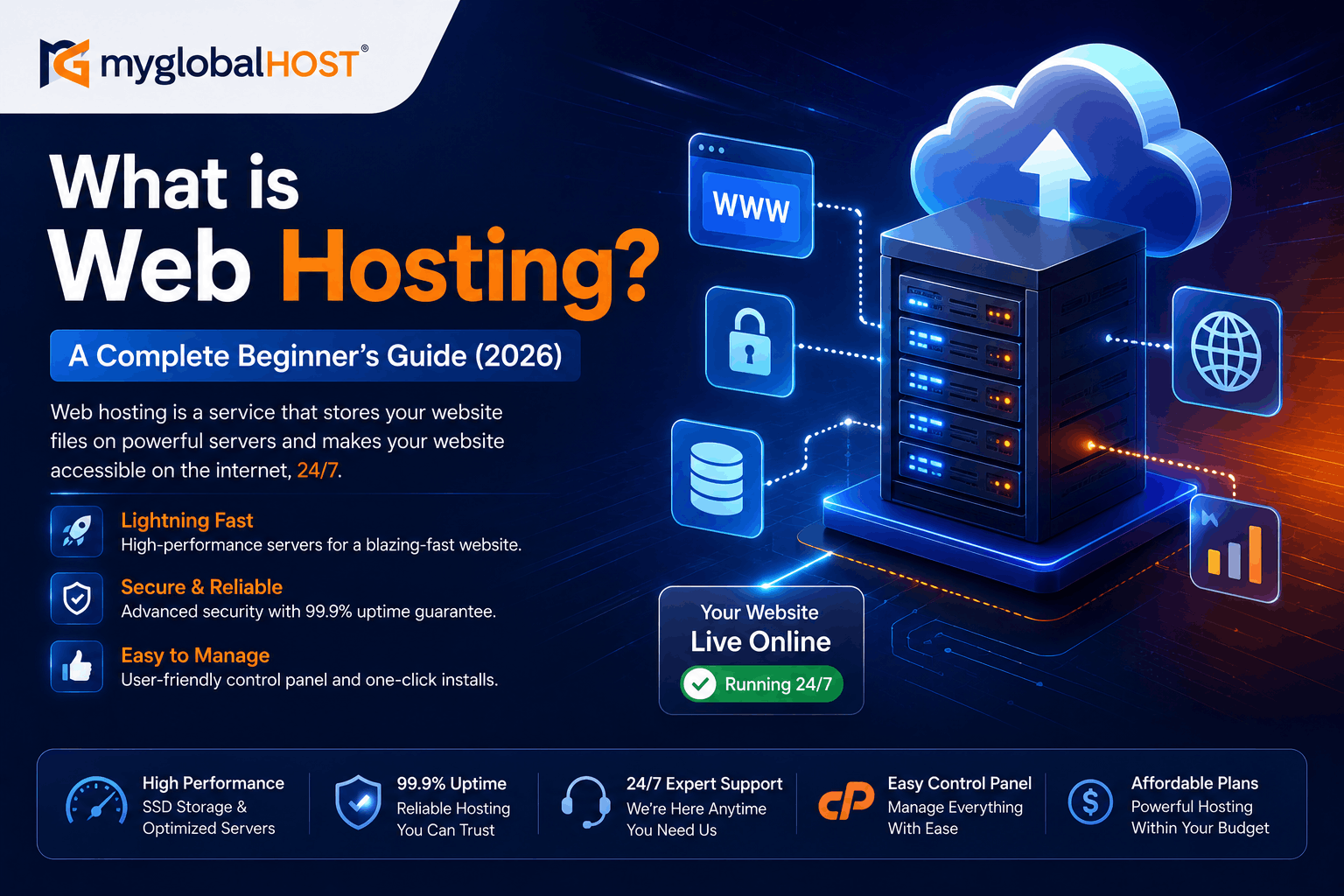
The short definition: Web hosting is the service that stores your website’s files on a powerful computer (called a server) and keeps them available for anyone on the internet to access, 24 hours a day, 7 days a week.
Without web hosting, your website cannot exist online. Full stop. No matter how beautifully you design your site, no matter how much effort you put into your content — if it is not stored on a hosting server, nobody can reach it.
The Simplest Analogy: Your Website Is a Shop, Hosting Is the Building
Imagine you want to open a shop in a city.
You need two things:
- A shop address — so people can find you (this is your domain name, like
www.yoursite.com) - A physical building — where you actually stock your products, welcome customers, and run your business (this is your web hosting)
You can own a fantastic address, but without a building attached to it, there is nothing for your customers to enter. You can have a beautiful building, but without an address, nobody knows where to find it.
Your website works exactly the same way. You need both a domain name and web hosting for your website to exist and be discoverable on the internet. They are two separate services, usually purchased separately.
| Component | Real World Analogy | Digital Version |
|---|---|---|
| Web Hosting | The physical shop building | The server that stores your website files |
| Domain Name | The shop’s address | Your website URL (e.g., yourbusiness.com) |
| Website Content | Products and decor in the shop | HTML, images, WordPress files, databases |
| Visitors | Customers walking in | People typing your URL in their browser |
| Web Server | The building’s infrastructure | The computer running 24/7 to serve your site |
How Does Web Hosting Actually Work? (Step by Step)
When someone visits your website, a specific sequence of events happens in milliseconds. Here is what actually occurs, explained simply:
Step 1 — Visitor types your URL A person in Mumbai, Delhi, or anywhere in the world types www.yourwebsite.com into their browser or clicks a link to your site.
Step 2 — DNS lookup happens The browser sends a request to the Domain Name System (DNS) — a global directory that maps domain names to IP addresses. DNS tells the browser: “The website at yourwebsite.com is stored on a server with the IP address 203.xxx.xxx.xxx.”
Step 3 — Browser contacts your hosting server The browser sends a request to your hosting server’s IP address, asking for your website’s files.
Step 4 — Server receives the request Your hosting server — a powerful computer located in a data centre — receives the browser’s request. The web server software (on myglobalHOST, this is LiteSpeed Enterprise) handles the request.
Step 5 — Server processes and responds
- If your page is cached (a saved, ready-to-serve version exists): The server sends the cached page instantly — in milliseconds
- If your page is not cached (needs fresh generation): The server runs your PHP code, queries your MySQL database, assembles the HTML, and sends the result
Step 6 — Browser renders your website The browser receives the HTML, CSS, JavaScript, and image files from your server and assembles them into the visible webpage the visitor sees on their screen.
This entire process — from typing the URL to seeing the page — happens in under 2 seconds on a well-configured hosting setup. On a quality LiteSpeed server with NVMe storage and LiteSpeed Cache properly configured, it can happen in under 500 milliseconds.
What is a Web Server? (And Why Does It Matter to You?)
A web server is the physical computer — or more accurately, a powerful enterprise-grade machine — that stores your website files and sends them to visitors on demand. Web servers:
- Run 24 hours a day, 365 days a year, without turning off
- Are located in professional data centres with redundant power, cooling, and internet connections
- Can handle thousands of requests per second
- Are managed by the hosting provider, not by you
The software running on the web server is equally important. Three web server software products dominate the market: Apache, Nginx, and LiteSpeed. These are not hardware — they are software programs that manage how requests are received and responses are sent.
The choice of web server software makes a measurable difference to your website’s speed. In independent 2026 benchmarks, LiteSpeed Enterprise handles approximately 40 times more WordPress requests per second than Apache on identical hardware — while using less than 35% CPU compared to Apache’s 100% saturation at the same load. This is why myglobalHOST runs LiteSpeed Enterprise on all servers across all plans.
For a deep comparison of all three web servers, see: Apache vs LiteSpeed vs Nginx: Which Web Server is Fastest?
Domain Name vs Web Hosting: The Most Common Beginner Confusion
This is the question nearly every first-time website owner asks within their first week:
“Ek hi cheez hai ya alag alag khareedna padega?”
They are two completely separate services, almost always purchased separately, and they work together.
| Domain Name | Web Hosting | |
|---|---|---|
| What it is | Your website’s address | The storage space where your site lives |
| Example | yourname.com | The server account storing your files |
| Analogy | House address / Plot number | The actual house built on that plot |
| Renewed | Annually (typically ₹700–₹2,000/year) | Monthly or annually |
| Without the other | Address that leads nowhere | Storage nobody can find |
| Provider | Domain registrar (or your hosting company) | Hosting company |
Important: Many hosting companies — including myglobalHOST — allow you to register a domain name at the same time as purchasing hosting. This is convenient but not mandatory. You can register your domain with one provider and host your website with a completely different provider by pointing your domain’s nameservers to your hosting account.
To point an existing domain to myglobalHOST, see: Where to Find myglobalHOST Nameservers and How to Add, Edit and Manage DNS in cPanel
Types of Web Hosting: Which One Do You Need?
This is where most beginner guides get vague. Here is a clear, practical breakdown of every type of hosting — what each is, who it is for, and when you should consider it.
1. Shared Hosting — Best for Beginners and Most Small Websites
What it is: Your website shares a physical server with many other websites. Everyone on that server shares the same hardware resources — CPU, RAM, and storage — divided among all accounts.
The modern reality: On quality shared hosting like myglobalHOST’s infrastructure, this is not the performance problem it was ten years ago. CloudLinux technology ensures each account has its own resource limits, so other sites on the server cannot affect yours. Combined with LiteSpeed Enterprise web server and NVMe SSD storage, modern shared hosting comfortably handles blogs, business websites, and light WooCommerce stores receiving up to 50,000 monthly visitors.
Who it is for: First-time website owners, bloggers, small business owners, portfolio sites, local business websites, freelancers launching their first site.
Who it is NOT for: High-traffic e-commerce stores, developers needing custom server software, sites receiving 100,000+ monthly visitors consistently.
myglobalHOST shared hosting options:
- Web Hosting — from ₹26/month, LiteSpeed + NVMe
- Unlimited Hosting — host multiple websites on one plan
- Custom Hosting — tailored configuration
2. WordPress Hosting — Shared Hosting Optimised Specifically for WordPress
What it is: WordPress hosting is shared hosting that has been pre-configured and optimised specifically for WordPress websites. Everything is set up from day one — the right PHP version, WordPress-optimised caching, automatic WordPress installation, and security settings configured for WordPress’s specific requirements.
Why it matters: WordPress powers approximately 43% of all websites on the internet in 2026. Running WordPress on generic shared hosting that is not optimised for it is like putting racing tyres on a vehicle that has not been tuned for them. The tyres are good, but the vehicle is not set up to use them properly.
On myglobalHOST’s WordPress Hosting, every server runs LiteSpeed with LSCache (the native LiteSpeed caching engine), giving WordPress pages server-level caching that dramatically outperforms plugin-based caching tools. See why this matters compared to popular alternatives: Does WP Rocket Hurt SEO?
Who it is for: Anyone building a WordPress blog, business website, or WooCommerce store. This is the recommended starting point for the majority of Indian website creators.
How to install WordPress: How to Install WordPress in cPanel Using Softaculous
3. Cloud Hosting — Flexible, Scalable, High-Availability Infrastructure
What it is: Instead of your website living on a single physical server, cloud hosting distributes your website across a network of servers. If one server experiences a problem, another server in the network takes over automatically — meaning your website stays online even during hardware failures. Resources can be scaled up or down quickly in response to traffic changes.
The key advantage: Cloud hosting handles unexpected traffic spikes gracefully. If a social media post makes your website go viral overnight, cloud infrastructure can scale to meet that demand. A single shared server has a fixed capacity ceiling.
Who it is for: Growing businesses, WooCommerce stores receiving thousands of orders per month, websites that experience seasonal traffic spikes (product launches, festival sales, news events), and any site where downtime directly costs money.
myglobalHOST cloud option: Cloud Hosting — auto-scaling on NVMe infrastructure
4. VPS Hosting — Dedicated Resources, Full Control
What it is: A Virtual Private Server (VPS) gives you a dedicated allocation of CPU cores, RAM, and storage on a physical server. These resources are guaranteed exclusively to your account — other users on the same physical machine cannot consume them. You also get root access to the server, allowing you to install custom software and configure the environment exactly as needed.
The key advantage: Consistent, guaranteed performance regardless of what other accounts on the same physical machine are doing — plus the technical freedom to run any software stack.
Who it is for: Developers, technically capable website owners, high-traffic sites, custom application deployments (Python, Node.js, Django), and sites that have genuinely outgrown shared hosting performance.
Not recommended for: Complete beginners without Linux server experience. An unmanaged VPS that is not properly maintained is less reliable than quality shared hosting.
For the full decision guide on when to upgrade from shared to VPS, see: Shared Hosting vs VPS Hosting: Which One Do You Actually Need?
myglobalHOST VPS options:
- SSD VPS — dedicated SSD resources, root access
- NVMe VPS — maximum performance, dedicated NVMe storage
5. Reseller Hosting — For Agencies and Web Professionals
What it is: Reseller hosting gives you the infrastructure to create and manage multiple separate hosting accounts, each with their own cPanel, under one master WHM (Web Host Manager) account. It is essentially a toolkit for running your own hosting business or managing multiple client websites in complete isolation from each other.
Who it is for: Web designers and developers managing client websites, digital agencies, anyone who wants to start a web hosting business, or individuals managing 10+ websites professionally.
myglobalHOST option: Reseller Hosting — includes WHM access, white-label capability, LiteSpeed Enterprise, NVMe storage
6. Specialised Application Hosting — Python and Node.js
What it is: Hosting environments pre-configured for specific programming languages and frameworks — Django and Flask for Python, Express and Next.js for Node.js. These environments provide the correct runtime versions, process management, and server configuration for non-PHP web applications.
Who it is for: Developers building web applications in Python or JavaScript/Node.js rather than WordPress.
myglobalHOST options:
- Python Hosting — configured for Django, Flask, and other Python frameworks
- Node.js Hosting — configured for Express, Next.js, and Node.js applications
Types of Hosting: Quick Comparison Table
| Hosting Type | Technical Skill Needed | Ideal Traffic | Price Range (India) | Best For |
|---|---|---|---|---|
| Shared Hosting | None | Up to 50K/month | ₹26–₹300/month | Beginners, blogs, small business |
| WordPress Hosting | None | Up to 50K/month | ₹50–₹500/month | WordPress sites of all sizes |
| Cloud Hosting | Low | 50K–500K/month | ₹300–₹2,000/month | Growing sites, WooCommerce |
| VPS Hosting | Medium-High | 100K+/month | ₹500–₹5,000/month | Developers, custom apps |
| Reseller Hosting | Low-Medium | Varies per account | ₹500–₹3,000/month | Agencies, client management |
| Python Hosting | Medium | App-based | Competitive | Python/Django developers |
| Node.js Hosting | Medium | App-based | Competitive | Node.js developers |
What is cPanel and Why Does Every Beginner Need to Know It?
When you purchase shared hosting, you manage your account through a control panel. The most widely used control panel in the world is cPanel — and it is included with all myglobalHOST shared hosting, WordPress hosting, unlimited hosting, and reseller hosting plans.
cPanel gives you a graphical interface to manage everything about your hosting account without needing to know Linux commands:
- File Manager — upload, edit, and organise your website files (5 Life-Saving Tricks for cPanel File Manager)
- Domains — add addon domains and subdomains (How to Add a New Domain in cPanel)
- Email Accounts — create professional email on your domain (How to Create an Email Account in cPanel)
- Databases — create and manage MySQL databases
- SSL/TLS — install free SSL certificates (How to Install and Activate SSL in cPanel Hosting)
- Softaculous — one-click installation of WordPress and 400+ applications (How to Install WordPress in cPanel Using Softaculous)
- Backups — create and download full account backups (How to Take a Full Account Backup in cPanel Manually)
- DNS Zone Editor — manage your domain’s DNS records (How to Add, Edit and Manage DNS in cPanel)
For new customers, the first thing to learn is how to access cPanel: How to Login to cPanel at myglobalHOST
Key Hosting Terms Every Beginner Must Know
These are the words you will encounter constantly when evaluating and using web hosting. Here is what each one actually means:
Uptime
The percentage of time your website is accessible to visitors. Expressed as a percentage — 99.9% uptime means your website is down for a maximum of approximately 8.7 hours per year. 99.99% means a maximum of about 52 minutes per year. Look for hosting providers guaranteeing at least 99.9% uptime. Downtime is not just an inconvenience — for any commercial website, every hour of downtime has a direct cost in lost revenue and lost trust.
Bandwidth / Data Transfer
The total amount of data transferred between your server and your visitors’ browsers per month. Each time someone loads a page on your website, your server sends data (HTML, images, CSS, JavaScript). The sum of all this data transfer is your bandwidth consumption. Most modern hosting plans offer “unmetered” or very high bandwidth limits that typical websites never approach.
Storage / Disk Space
The amount of storage space available for your website files, databases, emails, and backups on the server. This includes your WordPress installation, all your uploaded images and media, your theme files, plugin files, and every email message your account receives.
SSL Certificate
SSL (Secure Sockets Layer) is a security protocol that encrypts the data transmitted between your visitor’s browser and your server. When SSL is active, your website URL shows https:// instead of http://, and a padlock appears in the browser’s address bar. SSL is mandatory in 2026 — Google flags all non-HTTPS sites as “Not Secure” in Chrome, and HTTPS is a confirmed Google ranking factor. All myglobalHOST plans include free SSL. See How to Install and Activate SSL in cPanel Hosting.
Nameservers
Nameservers are the connection between your domain name and your hosting account. When you purchase a domain from one company and hosting from another, you update your domain’s nameservers to point to your hosting provider. This tells the internet: “When someone looks for this domain, send them to this hosting server.” See: Where to Find myglobalHOST Nameservers
TTFB (Time to First Byte)
The time it takes for your visitor’s browser to receive the first byte of data from your server after making a request. TTFB is a core component of Google’s Largest Contentful Paint (LCP) metric — one of the three Core Web Vitals that directly affect your search rankings. A TTFB below 800ms is Google’s “Good” threshold. On myglobalHOST’s LiteSpeed + NVMe infrastructure with caching enabled, most sites achieve TTFB well below 300ms.
NVMe SSD Storage
The storage technology that powers your server. NVMe (Non-Volatile Memory Express) is the current fastest available storage type — delivering 5–10x faster random read/write operations than regular SATA SSD storage. This directly affects how fast your database queries execute and how quickly your server can retrieve and serve files. All myglobalHOST plans run on NVMe storage. Full explanation: What is NVMe SSD Hosting and Why is it Faster Than Regular SSD?
LiteSpeed Cache (LSCache)
A server-level full-page caching system built directly into the LiteSpeed web server. When a page is cached, it is stored in server memory and delivered to the next visitor without executing PHP or querying the database — dramatically reducing load time. On myglobalHOST’s LiteSpeed servers, LSCache is available to every hosting account. Setup guide: How to Set Up LiteSpeed Cache in cPanel for WordPress
PHP
PHP is the programming language that powers WordPress, WooCommerce, Joomla, and the majority of websites on the internet. When you load a WordPress page, the server runs PHP code to generate the HTML that your browser receives. Current versions are PHP 8.2 and 8.3 — modern hosting should support these. Using outdated PHP versions (7.x or older) creates both security vulnerabilities and performance issues.
MySQL
MySQL is the database software that stores all of your website’s dynamic content — WordPress posts, pages, user accounts, WooCommerce orders, settings, and comments. Every time a visitor loads a WordPress page, PHP queries the MySQL database to retrieve the relevant content. NVMe storage makes MySQL queries significantly faster than older SATA SSD or HDD infrastructure.
Why the Hosting Infrastructure Details Matter — Even for Beginners
Most beginners are told “just get cheap hosting and upgrade later.” This advice is well-intentioned but incomplete.
The hosting infrastructure you start on determines your website’s performance from day one — and website performance affects:
1. Google Rankings Page speed and Core Web Vitals are confirmed Google ranking signals. A website on slow hosting that takes 4–5 seconds to load competes against sites on fast hosting that load in under 1 second. The fast site has a structural SEO advantage that content quality alone cannot overcome.
2. First Impressions and Bounce Rate Research consistently shows that 53% of mobile users abandon a website that takes more than 3 seconds to load. If your hosting is slow, visitors leave before seeing your content — regardless of how good that content is.
3. Cost of Migration Later Starting on the cheapest possible hosting, then migrating to better hosting after experiencing problems, costs time, potential data loss risk, and service disruption. Starting on quality infrastructure from the beginning avoids this entirely.
What to look for in hosting infrastructure — even as a beginner:
- ✅ LiteSpeed Web Server — not Apache (see Apache vs LiteSpeed vs Nginx: Which Web Server is Fastest?)
- ✅ NVMe SSD Storage — not SATA SSD or HDD (see What is NVMe SSD Hosting?)
- ✅ CloudLinux — per-account resource isolation on shared hosting
- ✅ Free SSL Certificate — non-negotiable in 2026
- ✅ Free LiteSpeed Cache (LSCache) — server-level caching included
- ✅ cPanel Control Panel — industry-standard, easiest to use
- ✅ Softaculous — one-click WordPress installation
- ✅ 99.9%+ uptime guarantee — with measurable SLA
Common Beginner Mistakes When Buying Web Hosting
Knowing what to avoid is as important as knowing what to look for.
Mistake 1 — Choosing Based on Introductory Price Alone
The ₹29/month introductory offer looks attractive. The ₹399/month renewal price 12 months later is less so. Always check the renewal price before purchasing. The introductory rate is almost never the rate you will pay after your first year. Calculate the 3-year total cost, not just the first year.
Mistake 2 — Ignoring the Web Server and Storage Type
“SSD Hosting” sounds fast. It might be SATA SSD — which is 5–10x slower than NVMe in the metrics that matter for database-driven websites. “Fast Hosting” in the headline means nothing without knowing the web server (Apache vs LiteSpeed) and storage type (SATA SSD vs NVMe). Ask explicitly before purchasing.
Mistake 3 — Buying “Free” or Extremely Cheap Hosting for a Real Website
Free hosting exists and is technically functional. Free hosting is also slow, unreliable, plastered with the hosting company’s own advertisements, and frequently taken offline without notice. For a website you intend to maintain professionally — whether personal or commercial — free hosting is not a viable foundation.
Mistake 4 — Not Installing SSL
Every website in 2026 must run on HTTPS. Google flags non-HTTPS sites as “Not Secure” in Chrome for all visitors. SSL is free on all myglobalHOST plans. There is no reason not to install it immediately. See: How to Install and Activate SSL in cPanel Hosting
Mistake 5 — Hosting Multiple Client Sites on One Shared Account
If you are building websites for other people or businesses, do not put all their sites on one shared cPanel account. A security issue or resource spike on one site affects all others. Reseller Hosting with WHM access gives each client their own isolated account. See: How Many Websites Can You Host on One Shared Hosting Plan?
Mistake 6 — Not Taking Backups
Even the best hosting providers experience hardware failures, accidental file deletions, and software conflicts. Backups are your safety net. Set up automated backups from day one and know how to restore them. See: How to Take a Full Account Backup in cPanel Manually
Mistake 7 — Installing Too Many Plugins
Every WordPress plugin adds PHP execution overhead. A site with 40 active plugins is significantly slower than a site with 10 carefully chosen plugins doing the same things. Start lean — install only what you need.
Mistake 8 — Ignoring Email Configuration
WordPress’s default email sending (PHP mail()) is unreliable and frequently blocked as spam. Contact form submissions, password resets, and order confirmations will fail or land in junk folders without proper SMTP configuration. Fix this on day one. See: WordPress SMTP Setup Guide
How to Get Your First Website Online: The Step-by-Step Path
If you are starting from zero and want to get a professional website live as efficiently as possible, here is the exact sequence:
Step 1 — Choose and purchase your hosting plan For most beginners: Web Hosting or WordPress Hosting. See: How to Purchase a Shared Hosting Plan
Step 2 — Register or connect your domain Register a new domain or point an existing domain to myglobalHOST nameservers. See: Where to Find myglobalHOST Nameservers
Step 3 — Install a free SSL certificate Go to cPanel → SSL/TLS → install your free SSL. See: How to Install and Activate SSL in cPanel Hosting
Step 4 — Install WordPress Open cPanel → Softaculous → WordPress → Install. The entire process takes under 5 minutes. See the complete guide: How to Install WordPress in cPanel Using Softaculous
Step 5 — Set up LiteSpeed Cache Install the free LiteSpeed Cache plugin from WordPress.org and configure it for your myglobalHOST server. This is the single most impactful performance step you can take. See: How to Set Up LiteSpeed Cache in cPanel for WordPress
Step 6 — Force HTTPS across your entire site See: Force HTTPS Using .htaccess
Step 7 — Create your professional email See: How to Create an Email Account in cPanel and configure it on your mobile: How to Configure Webmail Email on Your Mobile Device
Step 8 — Configure SMTP for WordPress emails See: WordPress SMTP Setup Guide
Step 9 — Install an SEO plugin Rank Math or Yoast SEO — install one immediately after WordPress setup. Submit your sitemap to Google Search Console.
Step 10 — Take your first backup See: How to Take a Full Account Backup in cPanel Manually
Web Hosting and SEO: The Connection Beginners Miss
A common misconception among beginners is that hosting does not affect Google rankings — that SEO is entirely about content and backlinks. This is only partially true.
Google has confirmed that page speed is a direct ranking factor for both desktop (since 2010) and mobile (since 2018). In 2021, Google introduced Core Web Vitals — three specific speed metrics (LCP, INP, CLS) — as official ranking signals. These metrics are directly influenced by your hosting infrastructure.
The chain works like this:
- Faster server (NVMe + LiteSpeed) → Lower Time to First Byte (TTFB)
- Lower TTFB → Lower Largest Contentful Paint (LCP)
- Better LCP → Better Core Web Vitals score
- Better Core Web Vitals → Better Google rankings
A website on slow hosting that fails Core Web Vitals competes at a disadvantage against a comparable site on fast hosting that passes them — even with identical content quality and backlink profiles.
Additionally, uptime matters for SEO. If Googlebot visits your website during an outage and receives a 5xx server error repeatedly, Google reduces its crawl rate for your site and may de-index pages. Consistent 99.9%+ uptime ensures Googlebot can always access and index your content.
Two other SEO factors to be aware of related to hosting and configuration:
- Does Cloudflare Hurt SEO? — if you plan to use Cloudflare, read this first
- Does WP Rocket Hurt SEO? — if you are considering WP Rocket, read this before installing
Web Hosting in India: What to Look for Specifically
The Indian market has specific considerations that generic global hosting guides do not address:
Server Location Physical distance between your server and your visitors adds latency. A server in Singapore or India will serve Indian visitors faster than a server in the US or UK. myglobalHOST operates servers in data centres with excellent connectivity for Indian visitors. For a website primarily targeting Indian audiences, server location in or near India meaningfully improves TTFB.
Pricing in INR Many global hosting providers charge in USD and add currency conversion costs. myglobalHOST prices in INR with clear renewal pricing — no currency surprise at renewal.
Hindi and Regional Language Support For websites targeting Indian audiences in regional languages, ensure your hosting supports UTF-8 character encoding and modern PHP versions that handle multi-byte character sets correctly. WordPress handles this natively; your hosting just needs to support the correct PHP configuration.
Indian Payment Methods Look for providers accepting UPI, net banking, domestic debit/credit cards, and EMI options — not just international credit cards. myglobalHOST accepts Indian payment methods through its Client Dashboard.
Support Availability For Indian website owners, responsive support in Indian business hours is more useful than 24/7 chat that routes to overseas agents unfamiliar with Indian hosting requirements. Know your provider’s support timings before purchasing. See: What Are the Support Timings at myglobalHOST?
Your First Hosting Purchase: A Simple Checklist
Before clicking Buy Now on any hosting plan, confirm:
- ✅ Web server is LiteSpeed (not Apache)
- ✅ Storage is NVMe SSD (not SATA SSD or HDD)
- ✅ Free SSL certificate is included
- ✅ cPanel and Softaculous are included
- ✅ LiteSpeed Cache (LSCache) is available
- ✅ Renewal price is clearly stated (not hidden)
- ✅ Uptime guarantee is 99.9% or higher
- ✅ Support is responsive and available in your time zone
- ✅ Free migration is offered if moving from another host
- ✅ Money-back guarantee exists
Frequently Asked Questions
Web hosting kya hai? (What is web hosting in Hindi?) Web hosting ek aisi service hai jo aapki website ki files ek server (powerful computer) par store karti hai aur unhe internet par 24/7 accessible banati hai. Bina hosting ke aapki website online nahi aa sakti.
What is the difference between a domain and web hosting? Your domain (e.g., yourname.com) is your website’s address — what people type to find you. Web hosting is the storage space where your website’s actual files, database, and content live. You need both to have a functioning website online.
Is web hosting necessary for a website? Yes, absolutely. Every website that is accessible on the internet is hosted on a server. There is no exception. Even “website builders” like Wix or Squarespace include hosting in their subscriptions — they are simply managing the hosting on your behalf rather than giving you direct access to it.
What is the best web hosting for beginners in India? For most beginners in India, shared hosting or WordPress hosting on a LiteSpeed + NVMe infrastructure is the ideal starting point. It requires no technical knowledge, is managed entirely through cPanel, costs less than ₹100–300/month on quality plans, and provides performance that is more than sufficient for new websites.
Can I change my hosting provider later? Yes. Your website files and database can be migrated from one hosting provider to another without losing any content. The process involves downloading a backup, uploading it to your new host, and updating your domain’s nameservers. myglobalHOST’s support team can assist with migrations.
What happens if I do not renew my hosting? If you do not renew your hosting before the expiry date, your website goes offline. Your files remain on the server for a grace period (typically 15–30 days) before being deleted. Renew before expiry to avoid any service interruption.
Related Knowledge Base Articles
Getting Started
- How to Purchase a Shared Hosting Plan
- How to Buy and Customise a Hosting Plan
- How to Login to cPanel at myglobalHOST
- Where to Find myglobalHOST Nameservers
WordPress Setup
- How to Install WordPress in cPanel Using Softaculous
- How to Set Up LiteSpeed Cache in cPanel for WordPress
- How to Install and Activate SSL in cPanel Hosting
- WordPress SMTP Setup Guide
Infrastructure and Performance
- What is NVMe SSD Hosting and Why is it Faster Than Regular SSD?
- Apache vs LiteSpeed vs Nginx: Which Web Server is Fastest?
- How to Enable OPcache in cPanel
Hosting Comparisons
- Shared Hosting vs VPS Hosting: Which One Do You Actually Need?
- How Many Websites Can You Host on One Shared Hosting Plan?
- WordPress Hosting in India — The Ultimate Guide
- myglobalHOST vs MilesWeb — A Comprehensive Web Hosting Showdown
SEO and Security
- Does Cloudflare Hurt SEO? What Google Won’t Tell You
- Does WP Rocket Hurt SEO? What WordPress Users Need to Know
- Force HTTPS Using .htaccess
- How to Take a Full Account Backup in cPanel Manually
Email and Communication
- How to Create an Email Account in cPanel
- How to Configure Webmail Email on Your Mobile Device
- How to Configure Webmail Email on Your PC/Laptop
Support
Start Your Website Today — All myglobalHOST Plans Include LiteSpeed + NVMe + Free SSL
| Plan | Best For | LiteSpeed | NVMe | Free SSL | cPanel |
|---|---|---|---|---|---|
| Web Hosting | First website, blogs | ✅ Enterprise | ✅ Yes | ✅ Free | ✅ Yes |
| WordPress Hosting | WordPress and WooCommerce | ✅ Enterprise | ✅ Yes | ✅ Free | ✅ Yes |
| Unlimited Hosting | Multiple websites | ✅ Enterprise | ✅ Yes | ✅ Free | ✅ Yes |
| Custom Hosting | Tailored needs | ✅ Enterprise | ✅ Yes | ✅ Free | ✅ Yes |
| Cloud Hosting | Growing businesses | ✅ Enterprise | ✅ Yes | ✅ Free | ✅ Yes |
| Reseller Hosting | Agencies, web professionals | ✅ Enterprise | ✅ Yes | ✅ Free | ✅ WHM |
| SSD VPS | Developers, high-traffic | ✅ Configurable | SSD | ✅ Yes | Optional |
| NVMe VPS | Maximum performance | ✅ Configurable | ✅ NVMe | ✅ Yes | Optional |
| Python Hosting | Python/Django apps | ✅ Configurable | ✅ Yes | ✅ Free | ✅ Yes |
| Node.js Hosting | Node.js applications | ✅ Configurable | ✅ Yes | ✅ Free | ✅ Yes |
This article is part of the myglobalHOST Knowledge Base — complete, honest beginner’s guides and technical references for hosting, WordPress, cPanel, SEO, and server management, written specifically for Indian website owners and myglobalHOST customers worldwide.


